Asset Management Policy Guide
Inventory, ownership, lifecycle, and secure disposal for laptops, cloud resources, and SaaS.
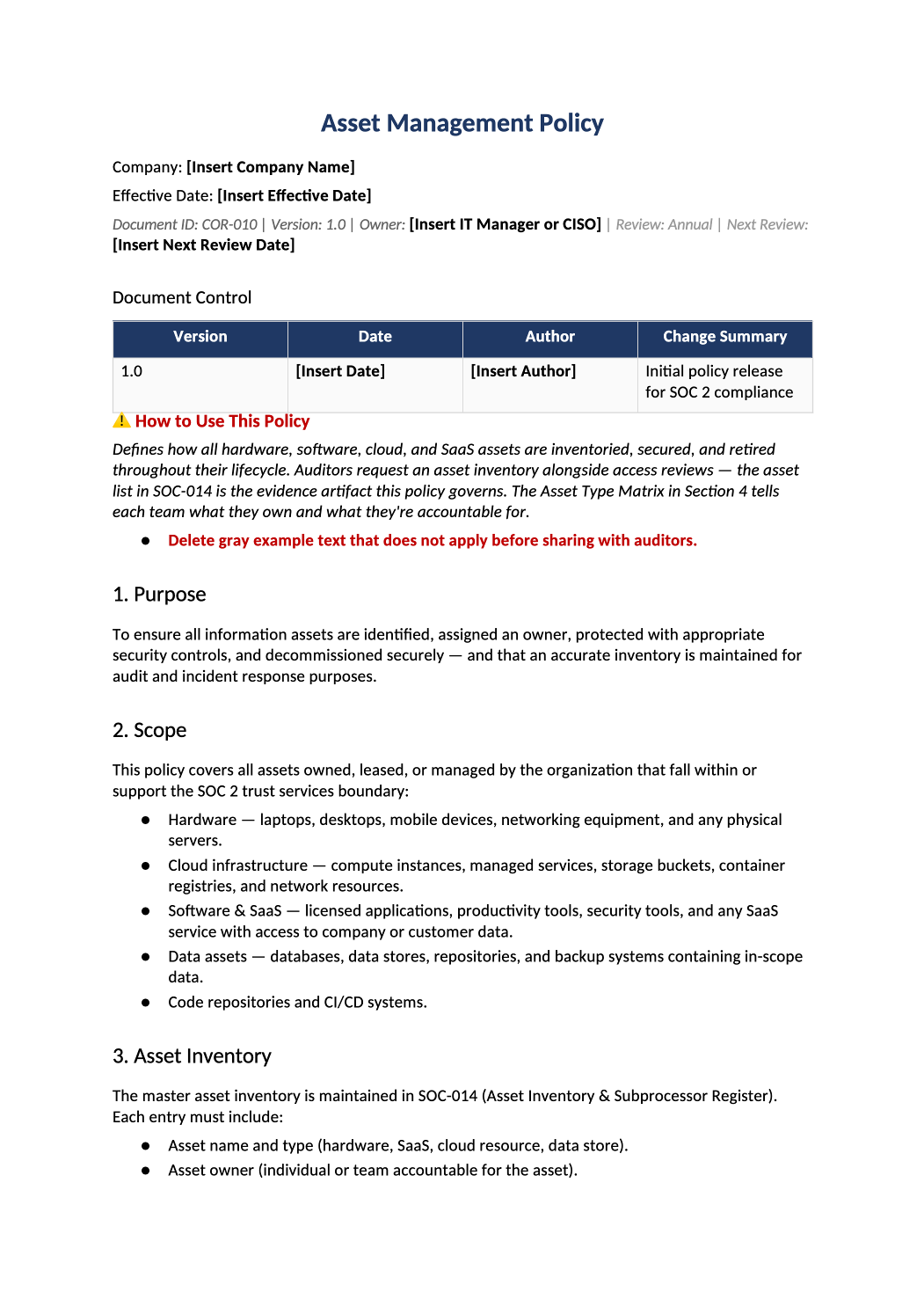
Asset Management Policy
Inventory, ownership, lifecycle, and secure disposal for laptops, cloud resources, and SaaS.
How to Fill Out This Asset Management Policy
Asset management policy template — Policy rules should match what you track in SOC-014 Asset Inventory. Reconcile MDM and cloud asset lists quarterly.
Recommended Owner: IT Operations | Security for standards
What this file is for
Document purpose
Asset lifecycle for endpoints and cloud (CC6.1).
In your program: Inventory detail in SOC-014; MDM/CMDB evidence supports this policy.
Before you start
Getting Started
- Enable Editing in Word; replace `[` placeholders and delete gray examples.
- Cross-check names and vendors with SOC-002, SOC-004, and Phase 1 COR policies.
Document tour
Fill out the file section by section
Work through the sections below in order. Each block matches a heading or tab in the downloaded COR-010 file.
1. Purpose
- Accountability for hardware and information assets.
- After editing 1. Purpose, search for `[` placeholders and gray sample names — auditors flag incomplete templates.
2. Scope
- In-scope systems from SOC-002 boundary.
- After editing 2. Scope, search for `[` placeholders and gray sample names — auditors flag incomplete templates.
3. Asset Inventory
- Central inventory required — SOC-014 Asset Inventory tab is working register.
- After editing 3. Asset Inventory, search for `[` placeholders and gray sample names — auditors flag incomplete templates.
4. Asset Type Matrix
- Laptop, cloud account, SaaS seat — owner and classification per type.
- After editing 4. Asset Type Matrix, search for `[` placeholders and gray sample names — auditors flag incomplete templates.
5. Asset Lifecycle
- Acquire → maintain → dispose; tie disposal to HR-002 equipment return.
- After editing 5. Asset Lifecycle, search for `[` placeholders and gray sample names — auditors flag incomplete templates.
6. Cloud & SaaS Asset Governance
- Tagging, account ownership, deprovision on offboarding.
- After editing 6. Cloud & SaaS Asset Governance, search for `[` placeholders and gray sample names — auditors flag incomplete templates.
7. Unauthorized Software
- Blocklist / approval process for installs.
- After editing 7. Unauthorized Software, search for `[` placeholders and gray sample names — auditors flag incomplete templates.
8. Lost or Stolen Assets
- Report within 24h; remote wipe — link to COR-012.
- After editing 8. Lost or Stolen Assets, search for `[` placeholders and gray sample names — auditors flag incomplete templates.
9. Review & Approval
- Annual sign-off; register in COR-013.
- After editing 9. Review & Approval, search for `[` placeholders and gray sample names — auditors flag incomplete templates.
10. Related Documents
- SOC-014, COR-012, HR-002.
- After editing 10. Related Documents, search for `[` placeholders and gray sample names — auditors flag incomplete templates.
11. SOC 2 Mapping
- CC6.1 — refresh when stack changes.
- After editing 11. SOC 2 Mapping, search for `[` placeholders and gray sample names — auditors flag incomplete templates.
Quality check
Before You Finalize
- Asset types cover laptops, cloud accounts, and critical SaaS.
Evidence
Where to Store It
- Store the completed file in your compliance evidence folder (signed PDF for policies).
- Register the document in COR-013 with version, owner, and next review date.
- Link the file from your evidence index or SOC-005 project plan when you use Phase 3 trackers.