Auditor Kickoff Package Guide
Single DOCX handoff: scope, contacts, evidence repo, timeline, open issues.
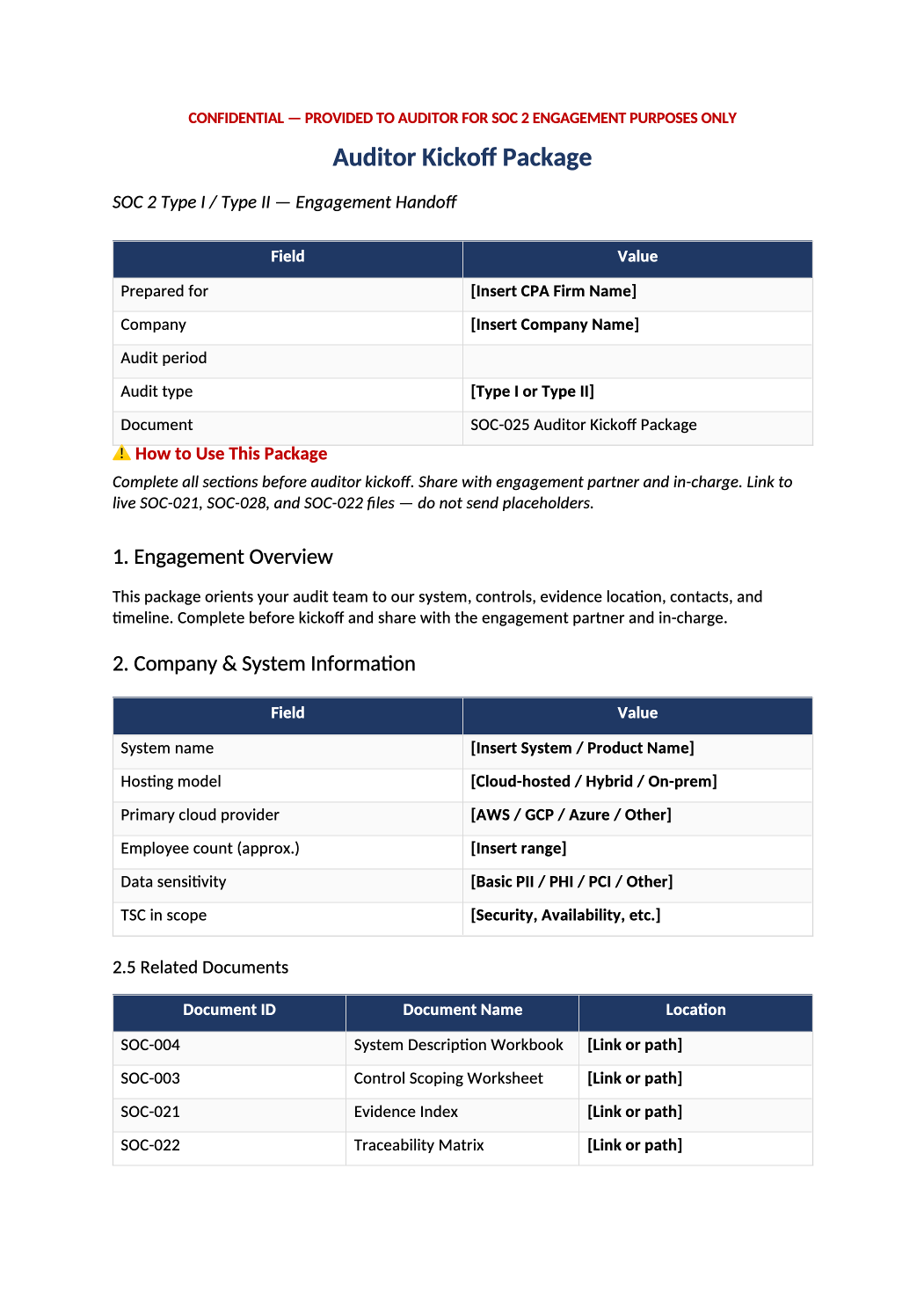
Auditor Kickoff Package
Single DOCX handoff: scope, contacts, evidence repo, timeline, open issues.
How to Fill Out This Auditor Kickoff Package
SOC 2 auditor kickoff package template — Send to audit firm at engagement start — reduces back-and-forth during fieldwork.
Recommended Owner: Compliance Lead | Security Lead reviews technical sections
What this file is for
Document purpose
Auditor kickoff handoff — scope, contacts, evidence repo, timeline, open issues.
In your program: Send at engagement start with SOC-028 export and SOC-021 index link.
Before you start
Getting Started
- Enable Editing in Word; replace `[` placeholders and delete gray examples.
- Cross-check dates, owners, and metrics with Phase 1–2 trackers (SOC-003, SOC-010, SOC-013, SOC-030).
Document tour
Fill out the file section by section
Work through the sections below in order. Each block matches a heading or tab in the downloaded SOC-025 file.
1. Engagement Overview
- Type I/II, trust criteria, locations, subservice org strategy.
- After editing 1. Engagement Overview, search for `[` placeholders and gray sample names — auditors flag incomplete templates.
2. Company & System Information
- Pull from SOC-004 — system boundary, data types, users.
- After editing 2. Company & System Information, search for `[` placeholders and gray sample names — auditors flag incomplete templates.
2.5 Related Documents
- List hyperlinks to SOC-004, SOC-003, SOC-021, SOC-028 in shared drive.
- After editing 2.5 Related Documents, search for `[` placeholders and gray sample names — auditors flag incomplete templates.
3. Key Contacts
- Primary, backup, after-hours for incident questions during fieldwork.
- After editing 3. Key Contacts, search for `[` placeholders and gray sample names — auditors flag incomplete templates.
4. Evidence Repository
- Folder naming convention; read-only vs upload instructions for auditors.
- After editing 4. Evidence Repository, search for `[` placeholders and gray sample names — auditors flag incomplete templates.
4.5 PBC Summary
- High-level count of open vs accepted PBC items from SOC-028 Dashboard.
- After editing 4.5 PBC Summary, search for `[` placeholders and gray sample names — auditors flag incomplete templates.
5. Audit Timeline
- Planning, fieldwork, management inquiry, draft/final report dates.
- After editing 5. Audit Timeline, search for `[` placeholders and gray sample names — auditors flag incomplete templates.
6. Known Issues & Open Items
- Honest gaps, prior findings, in-flight remediation — builds trust.
- After editing 6. Known Issues & Open Items, search for `[` placeholders and gray sample names — auditors flag incomplete templates.
7. Document Control
- Version, author, approval — register in COR-013 when finalized.
- After editing 7. Document Control, search for `[` placeholders and gray sample names — auditors flag incomplete templates.
Quality check
Before You Finalize
- Audit period matches SOC-002 and SOC-026 bridge letter dates if applicable.
- Evidence repository access tested with audit firm contact.
Evidence
Where to Store It
- Store the completed file in your compliance evidence folder (signed PDF for policies).
- Register the document in COR-013 with version, owner, and next review date.
- Link the file from your evidence index or SOC-005 project plan when you use Phase 3 trackers.