Audit RFP Response Guide
Structured response when selecting a SOC 2 audit firm.
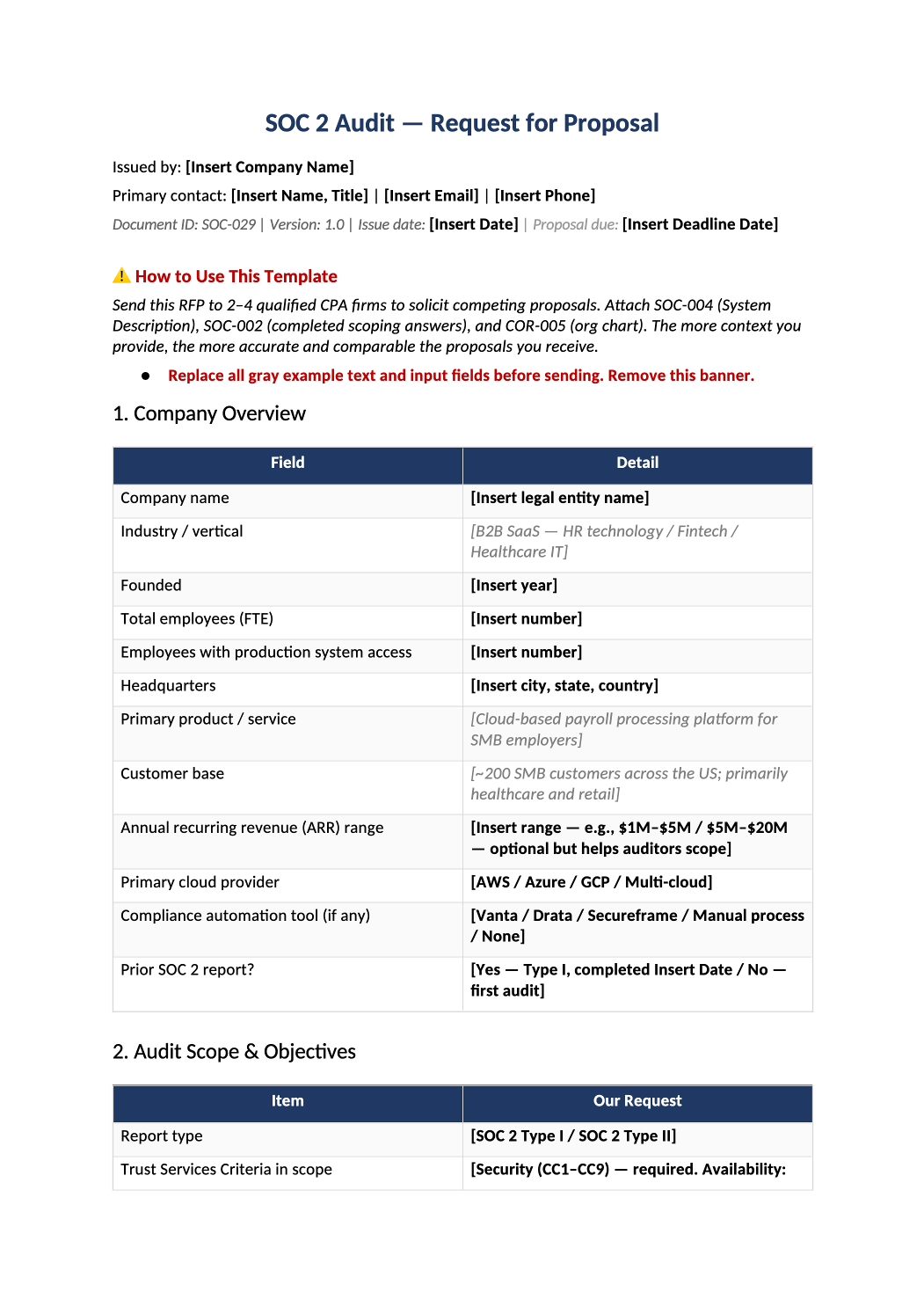
Sample Audit RFP Response
Structured response when selecting a SOC 2 audit firm.
How to Fill Out This Sample Audit RFP Response
SOC 2 audit RFP response template — Use when procuring auditors — align answers with SOC-002 scope and SOC-004.
Recommended Owner: CFO or Compliance | Security validates control descriptions
What this file is for
Document purpose
Structured RFP when selecting a SOC 2 audit firm.
In your program: Answers must match SOC-002 scope and SOC-004 — auditors spot contradictions in proposals.
Before you start
Getting Started
- Enable Editing in Word; replace `[` placeholders and delete gray examples.
- Cross-check dates, owners, and metrics with Phase 1–2 trackers (SOC-003, SOC-010, SOC-013, SOC-030).
Document tour
Fill out the file section by section
Work through the sections below in order. Each block matches a heading or tab in the downloaded SOC-029 file.
1. Company Overview
- Industry, size, locations — consistent with SOC-004 entity description.
- After editing 1. Company Overview, search for `[` placeholders and gray sample names — auditors flag incomplete templates.
2. Audit Scope & Objectives
- Type I/II, criteria (Security + Availability, etc.), report users.
- After editing 2. Audit Scope & Objectives, search for `[` placeholders and gray sample names — auditors flag incomplete templates.
3. In-Scope System Summary
- Copy boundary language from SOC-004 Section 1–2.
- After editing 3. In-Scope System Summary, search for `[` placeholders and gray sample names — auditors flag incomplete templates.
4. Security Controls Maturity Summary
- Honest maturity (policies exist vs operating evidence) — affects proposal accuracy.
- After editing 4. Security Controls Maturity Summary, search for `[` placeholders and gray sample names — auditors flag incomplete templates.
5. Subservice Organizations
- List from SOC-014; note carved-in vs carved-out strategy.
- After editing 5. Subservice Organizations, search for `[` placeholders and gray sample names — auditors flag incomplete templates.
6. Proposed Timeline
- Readiness, fieldwork, report — align with SOC-025 after firm selected.
- After editing 6. Proposed Timeline, search for `[` placeholders and gray sample names — auditors flag incomplete templates.
7. Required Proposal Contents
- Fees, team, sample PBC list, reference clients — customize asks.
- After editing 7. Required Proposal Contents, search for `[` placeholders and gray sample names — auditors flag incomplete templates.
8. Evaluation Criteria
- Weight technical fit, industry experience, and fee — document scoring.
- After editing 8. Evaluation Criteria, search for `[` placeholders and gray sample names — auditors flag incomplete templates.
9. Engagement Logistics & Preferences
- Remote vs onsite, time zones, communication cadence.
- After editing 9. Engagement Logistics & Preferences, search for `[` placeholders and gray sample names — auditors flag incomplete templates.
10. Attachments
- Attach SOC-004 draft, org chart, prior report if applicable.
- After editing 10. Attachments, search for `[` placeholders and gray sample names — auditors flag incomplete templates.
Authorized Signatory
- Procurement or CFO signature before sending to firms.
- After editing Authorized Signatory, search for `[` placeholders and gray sample names — auditors flag incomplete templates.
Quality check
Before You Finalize
- Section 3 system summary matches SOC-004 (no extra products out of scope).
- Authorized Signatory is procurement executive with authority to issue RFP.
Evidence
Where to Store It
- Store the completed file in your compliance evidence folder (signed PDF for policies).
- Register the document in COR-013 with version, owner, and next review date.
- Link the file from your evidence index or SOC-005 project plan when you use Phase 3 trackers.