Authentication and MFA Standard Guide
Password rules, MFA coverage, SSO, and break-glass accounts — aligned to CC6.1.
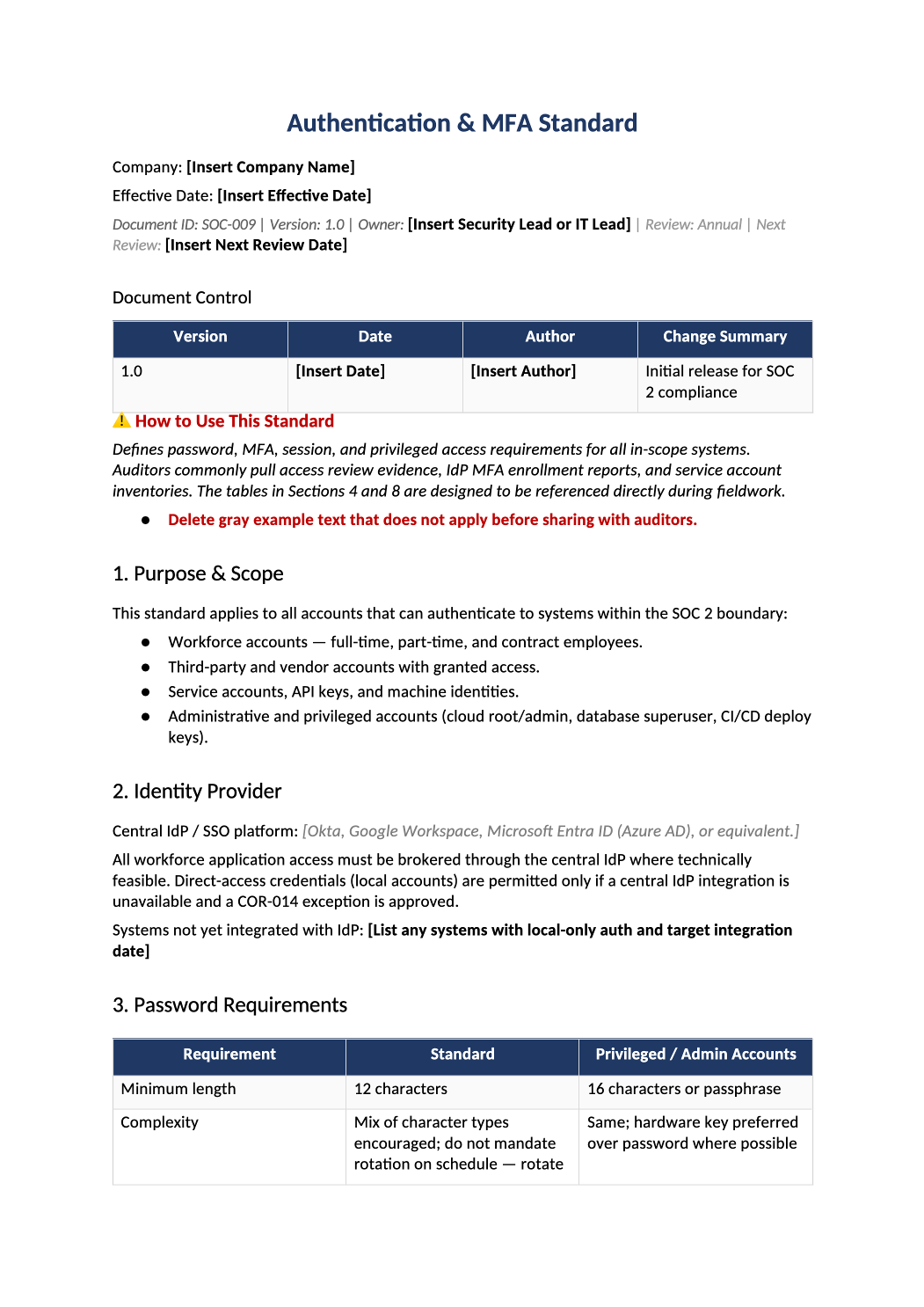
Authentication and MFA Standard
Password rules, MFA coverage, SSO, and break-glass accounts — aligned to CC6.1.
How to Fill Out This Authentication and MFA Standard
MFA policy template SOC 2 — Must match COR-002 access control policy and your IdP configuration. Call out any legacy systems without MFA and remediation dates.
Recommended Owner: Security Lead | IT for IdP enforcement
What this file is for
Document purpose
Authentication and MFA standard (CC6.5).
In your program: Must match IdP config; contradictions fail CC6 tests.
Before you start
Getting Started
- Enable Editing in Word; replace `[` placeholders and delete gray examples.
- Cross-check names and vendors with SOC-002, SOC-004, and Phase 1 COR policies.
Document tour
Fill out the file section by section
Work through the sections below in order. Each block matches a heading or tab in the downloaded SOC-009 file.
1. Purpose & Scope
- All in-scope systems with human and service authentication.
- After editing 1. Purpose & Scope, search for `[` placeholders and gray sample names — auditors flag incomplete templates.
2. Identity Provider
- Name IdP (Okta, Google, etc.) — must match SOC-004 and access reviews.
- After editing 2. Identity Provider, search for `[` placeholders and gray sample names — auditors flag incomplete templates.
3. Password Requirements
- Length, complexity, lockout — or “SSO-only” if no local passwords.
- After editing 3. Password Requirements, search for `[` placeholders and gray sample names — auditors flag incomplete templates.
4. MFA Requirements by Access Type
- MFA for email, cloud console, prod — match enrollment reports.
- After editing 4. MFA Requirements by Access Type, search for `[` placeholders and gray sample names — auditors flag incomplete templates.
5. Privileged Access Controls
- Break-glass, PAM, or just-in-time — align with COR-002.
- After editing 5. Privileged Access Controls, search for `[` placeholders and gray sample names — auditors flag incomplete templates.
6. Session Management
- Idle timeout and max session length — realistic values.
- After editing 6. Session Management, search for `[` placeholders and gray sample names — auditors flag incomplete templates.
7. Account Lockout & Brute-Force Protection
- Lockout thresholds and unlock process.
- After editing 7. Account Lockout & Brute-Force Protection, search for `[` placeholders and gray sample names — auditors flag incomplete templates.
8. Service & API Account Inventory
- Vault-stored keys; rotation cadence; no long-lived prod keys in repos.
- After editing 8. Service & API Account Inventory, search for `[` placeholders and gray sample names — auditors flag incomplete templates.
9. MFA Exceptions
- Rare, time-bound, COR-014 if permanent gap.
- After editing 9. MFA Exceptions, search for `[` placeholders and gray sample names — auditors flag incomplete templates.
10. Onboarding & Offboarding Integration
- Tie to HR-001/HR-002 and SOC-010 reviews.
- After editing 10. Onboarding & Offboarding Integration, search for `[` placeholders and gray sample names — auditors flag incomplete templates.
11. Related Documents
- COR-002, SOC-010, SOC-018.
- After editing 11. Related Documents, search for `[` placeholders and gray sample names — auditors flag incomplete templates.
12. SOC 2 Mapping
- CC6.5 — update when IdP changes.
- After editing 12. SOC 2 Mapping, search for `[` placeholders and gray sample names — auditors flag incomplete templates.
Quality check
Before You Finalize
- MFA coverage statement matches enrollment report.
- Break-glass accounts documented.
Evidence
Where to Store It
- Store the completed file in your compliance evidence folder (signed PDF for policies).
- Register the document in COR-013 with version, owner, and next review date.
- Link the file from your evidence index or SOC-005 project plan when you use Phase 3 trackers.