Backup and Restore Testing Guide
Backup scope, restore tests, RTO/RPO, and evidence retention for CC7.5.
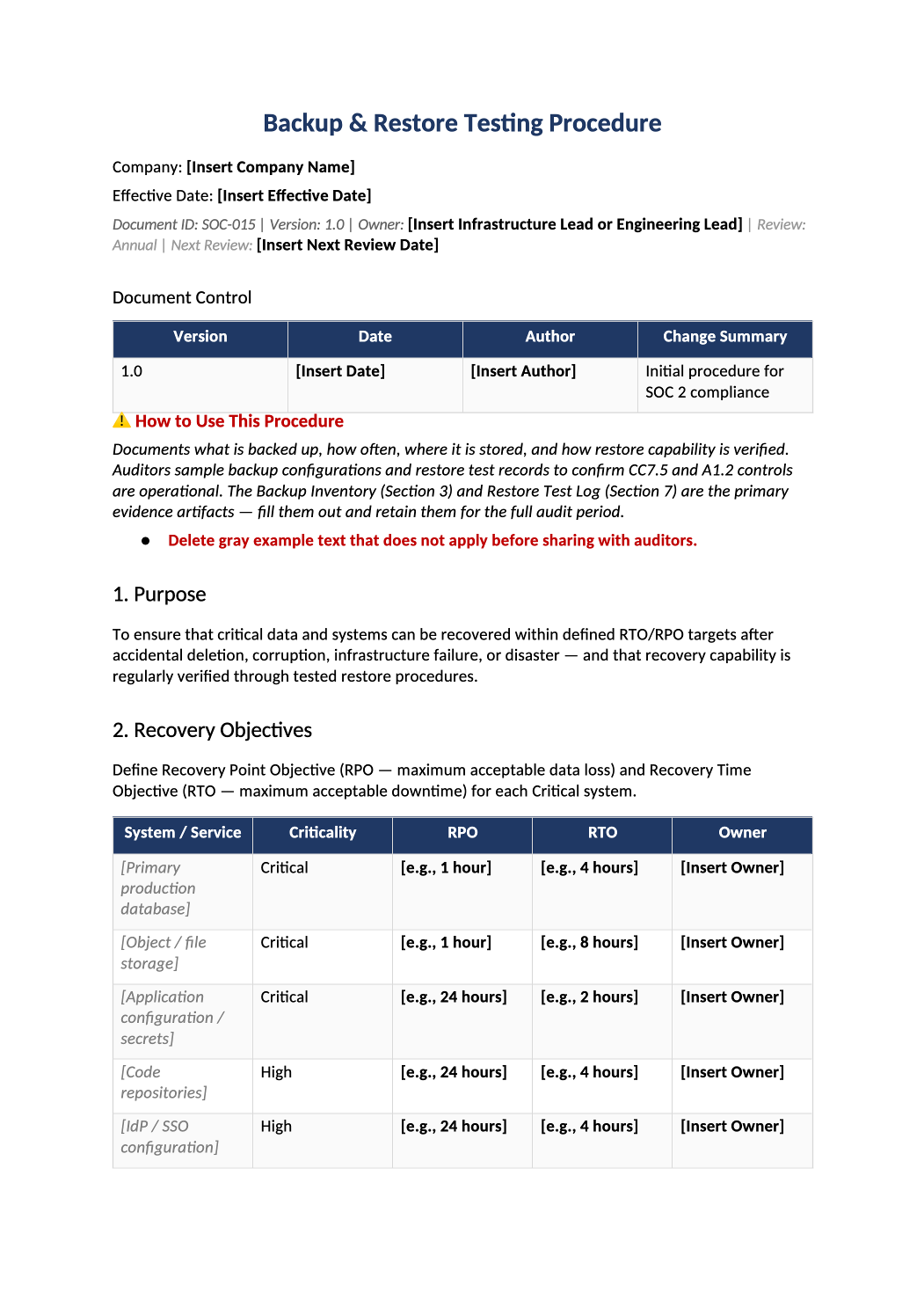
Backup and Restore Testing Procedure
Backup scope, restore tests, RTO/RPO, and evidence retention for CC7.5.
How to Fill Out This Backup and Restore Testing Procedure
Backup restore testing procedure template — Document actual backup tools and last successful restore test date. Store test artifacts with the signed procedure.
Recommended Owner: Platform Engineering | Security reviews scope
What this file is for
Document purpose
Backup and restore testing procedure (CC7.5).
In your program: Restore test evidence is as important as backup config.
Before you start
Getting Started
- Enable Editing in Word; replace `[` placeholders and delete gray examples.
- Cross-check names and vendors with SOC-002, SOC-004, and Phase 1 COR policies.
Document tour
Fill out the file section by section
Work through the sections below in order. Each block matches a heading or tab in the downloaded SOC-015 file.
1. Purpose
- Recover from ransomware and outages — CC7.5 evidence.
- After editing 1. Purpose, search for `[` placeholders and gray sample names — auditors flag incomplete templates.
2. Recovery Objectives
- State RTO/RPO targets you can actually meet.
- After editing 2. Recovery Objectives, search for `[` placeholders and gray sample names — auditors flag incomplete templates.
3. Backup Inventory & Configuration
- Every critical system: frequency, encryption, retention, location.
- After editing 3. Backup Inventory & Configuration, search for `[` placeholders and gray sample names — auditors flag incomplete templates.
4. Backup Requirements
- Automated backups, access controls, monitoring failed jobs.
- After editing 4. Backup Requirements, search for `[` placeholders and gray sample names — auditors flag incomplete templates.
5. Restore Test Schedule
- Quarterly minimum for critical systems — calendar it.
- After editing 5. Restore Test Schedule, search for `[` placeholders and gray sample names — auditors flag incomplete templates.
6. Restore Test Procedure
- Step-by-step restore — same steps auditors may ask you to demonstrate.
- After editing 6. Restore Test Procedure, search for `[` placeholders and gray sample names — auditors flag incomplete templates.
7. Restore Test Log
- Record date, system, result, approver — retain screenshots/logs.
- After editing 7. Restore Test Log, search for `[` placeholders and gray sample names — auditors flag incomplete templates.
8. Failure Response
- If test fails, incident ticket and remediation deadline.
- After editing 8. Failure Response, search for `[` placeholders and gray sample names — auditors flag incomplete templates.
9. Related Documents
- SOC-013 if failure becomes incident; COR-014 for missed tests.
- After editing 9. Related Documents, search for `[` placeholders and gray sample names — auditors flag incomplete templates.
10. SOC 2 Mapping
- CC7.5 — align with SOC-015 backup configs in infra.
- After editing 10. SOC 2 Mapping, search for `[` placeholders and gray sample names — auditors flag incomplete templates.
Quality check
Before You Finalize
- Last successful restore test date is real and documented.
Evidence
Where to Store It
- Store the completed file in your compliance evidence folder (signed PDF for policies).
- Register the document in COR-013 with version, owner, and next review date.
- Link the file from your evidence index or SOC-005 project plan when you use Phase 3 trackers.