Data Classification Policy Guide
Labels, handling rules, and storage requirements for public, internal, confidential, and restricted data.
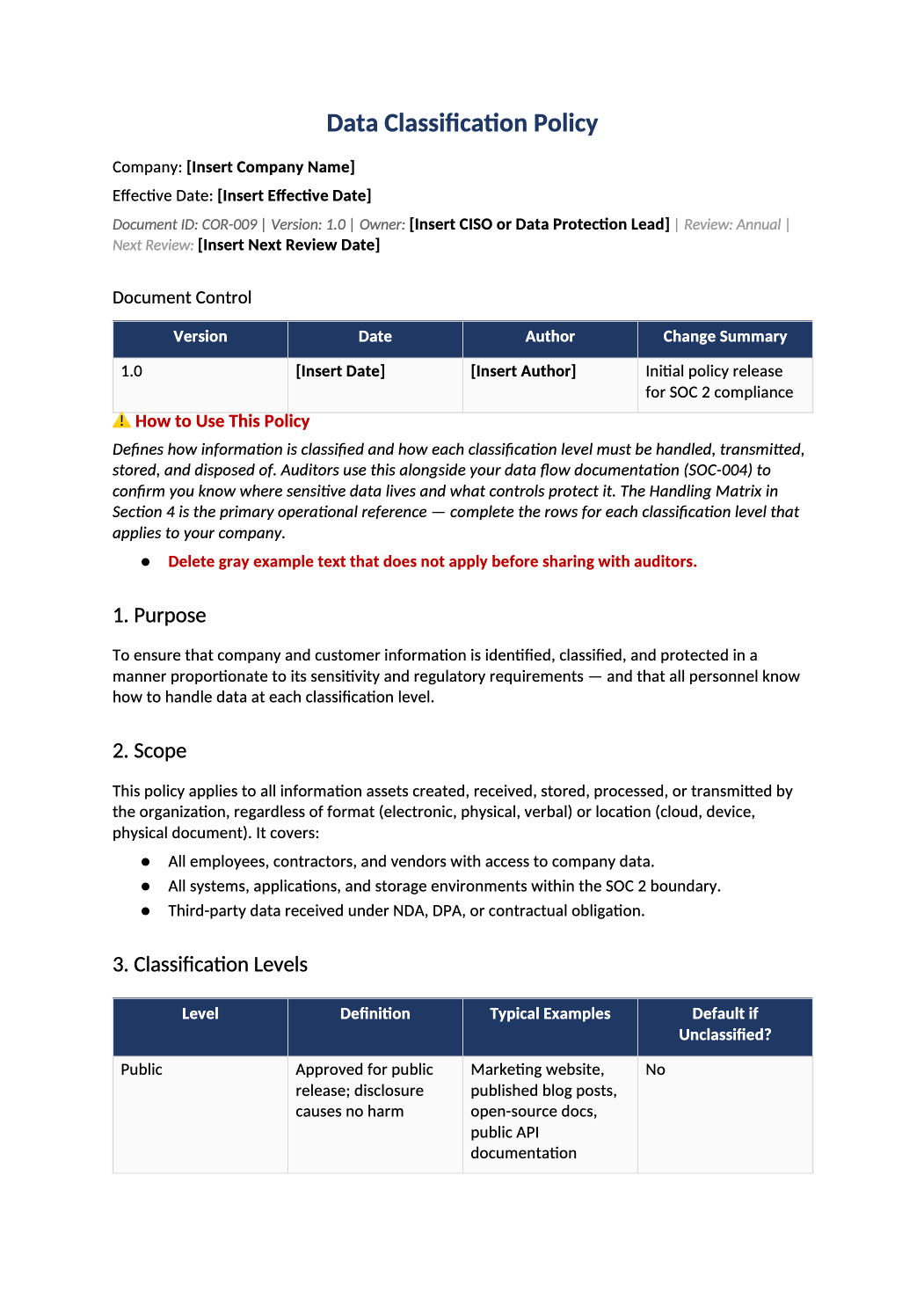
Data Classification Policy
Labels, handling rules, and storage requirements for public, internal, confidential, and restricted data.
Data classification policy template — Classification drives encryption and access controls in COR-002 and retention in COR-004. Use the same labels in SOC-004 Section 5.
Recommended Owner: Security Lead | Engineering for tooling labels
What this file is for
Document purpose
Classification labels and handling rules (CC6.7).
In your program: Labels must match SOC-004 data section and encryption controls.
Before you start
Getting Started
- Enable Editing in Word; replace `[` placeholders and delete gray examples.
- Cross-check names and vendors with SOC-002, SOC-004, and Phase 1 COR policies.
Document tour
Fill out the file section by section
Work through the sections below in order. Each block matches a heading or tab in the downloaded COR-009 file.
- Protect confidentiality through consistent classification.
- After editing 1. Purpose, search for `[` placeholders and gray sample names — auditors flag incomplete templates.
- All data types in SOC-002 Section 8 — must match SOC-004 data narrative.
- After editing 2. Scope, search for `[` placeholders and gray sample names — auditors flag incomplete templates.
- Define Public / Internal / Confidential / Restricted with examples.
- After editing 3. Classification Levels, search for `[` placeholders and gray sample names — auditors flag incomplete templates.
- Storage, transmission, sharing, disposal rules per level — no blank cells.
- After editing 4. Data Handling Matrix, search for `[` placeholders and gray sample names — auditors flag incomplete templates.
- Named owners approve classification changes.
- After editing 5. Data Owner Responsibilities, search for `[` placeholders and gray sample names — auditors flag incomplete templates.
- Link major systems to default classification tier.
- After editing 6. Data Inventory & Mapping, search for `[` placeholders and gray sample names — auditors flag incomplete templates.
- Email, file share, API — encryption requirements per class.
- After editing 7. Transmission Rules, search for `[` placeholders and gray sample names — auditors flag incomplete templates.
- Secure delete / crypto-shred — align with COR-004 retention.
- After editing 8. Disposal & Destruction, search for `[` placeholders and gray sample names — auditors flag incomplete templates.
- COR-014 only — time-bound with compensating controls.
- After editing 9. Policy Exceptions, search for `[` placeholders and gray sample names — auditors flag incomplete templates.
- Review when new data types or products launch.
- After editing 10. Review & Approval, search for `[` placeholders and gray sample names — auditors flag incomplete templates.
11. Related Documents
- COR-004, SOC-004 Section 8, PRI-001 if privacy kit.
- After editing 11. Related Documents, search for `[` placeholders and gray sample names — auditors flag incomplete templates.
12. SOC 2 Mapping
- CC6.7 — verify mapping after edits.
- After editing 12. SOC 2 Mapping, search for `[` placeholders and gray sample names — auditors flag incomplete templates.
Quality check
Before You Finalize
- Every class has handling rules (storage, transmission, disposal).
Evidence
Where to Store It
- Store the completed file in your compliance evidence folder (signed PDF for policies).
- Register the document in COR-013 with version, owner, and next review date.
- Link the file from your evidence index or SOC-005 project plan when you use Phase 3 trackers.