Security Awareness Policy Guide
Training requirements, phishing simulations, and acceptable use expectations for SOC 2 CC1.4.
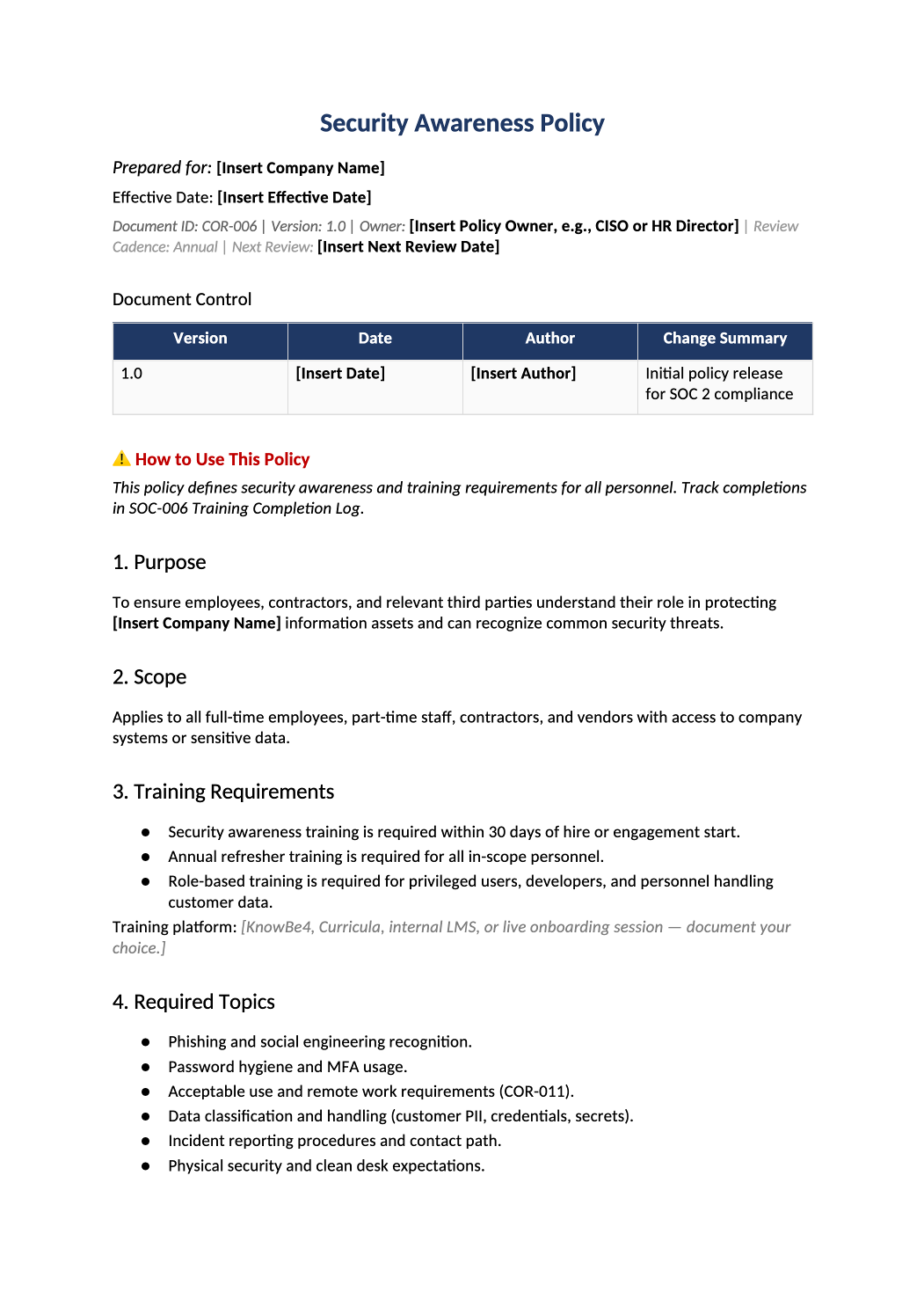
Security Awareness Policy
Training requirements, phishing simulations, and acceptable use expectations for SOC 2 CC1.4.
Security awareness policy template — Publish this policy alongside your training program. Pair with SOC-006 Training Completion Log for evidence.
Recommended Owner: Security Lead | HR for delivery logistics
What this file is for
Document purpose
Security awareness requirements (CC1.4) — pairs with SOC-006 training log.
In your program: Published to all staff; evidence is SOC-006 completions, not this policy alone.
Before you start
Getting Started
- Enable Editing in Word; replace `[` placeholders and delete gray examples.
- Cross-check names and vendors with SOC-002, SOC-004, and Phase 1 COR policies.
Document tour
Fill out the file section by section
Work through the sections below in order. Each block matches a heading or tab in the downloaded COR-006 file.
- State annual and onboarding training requirements — evidence is SOC-006, not this policy alone.
- After editing 1. Purpose, search for `[` placeholders and gray sample names — auditors flag incomplete templates.
- All workforce including contractors with system access.
- After editing 2. Scope, search for `[` placeholders and gray sample names — auditors flag incomplete templates.
- Onboarding within 30 days and annual refresh — match SOC-006 course names.
- After editing 3. Training Requirements, search for `[` placeholders and gray sample names — auditors flag incomplete templates.
- Cover phishing, data handling, passwords/MFA, incident reporting — align with COR-011 and COR-007.
- After editing 4. Required Topics, search for `[` placeholders and gray sample names — auditors flag incomplete templates.
- How employees attest (HRIS, DocuSign) — tie to HR-001 onboarding.
- After editing 5. Policy Acknowledgment, search for `[` placeholders and gray sample names — auditors flag incomplete templates.
- If used, set cadence you can operate (e.g., quarterly) and track in SOC-006.
- After editing 6. Simulated Phishing (Optional), search for `[` placeholders and gray sample names — auditors flag incomplete templates.
- Retain LMS exports; SOC-006 is the auditor sample workbook.
- After editing 7. Records & Evidence, search for `[` placeholders and gray sample names — auditors flag incomplete templates.
- Escalation path when training overdue — managers notified.
- After editing 8. Non-Compliance, search for `[` placeholders and gray sample names — auditors flag incomplete templates.
- Annual review; complete sign-off table.
- After editing 9. Review and Approval, search for `[` placeholders and gray sample names — auditors flag incomplete templates.
9.1 SOC 2 Common Criteria Mapping
- CC1.4 — keep mapping accurate if scope changes.
- After editing 9.1 SOC 2 Common Criteria Mapping, search for `[` placeholders and gray sample names — auditors flag incomplete templates.
Quality check
Before You Finalize
- Training frequency and topics match SOC-006 log entries.
- Section 13 signed.
Evidence
Where to Store It
- Store the completed file in your compliance evidence folder (signed PDF for policies).
- Register the document in COR-013 with version, owner, and next review date.
- Link the file from your evidence index or SOC-005 project plan when you use Phase 3 trackers.