Employee Onboarding Checklist Guide
Provisioning, security training, and access approvals for new hires — aligned to SOC 2 CC1 and CC6.
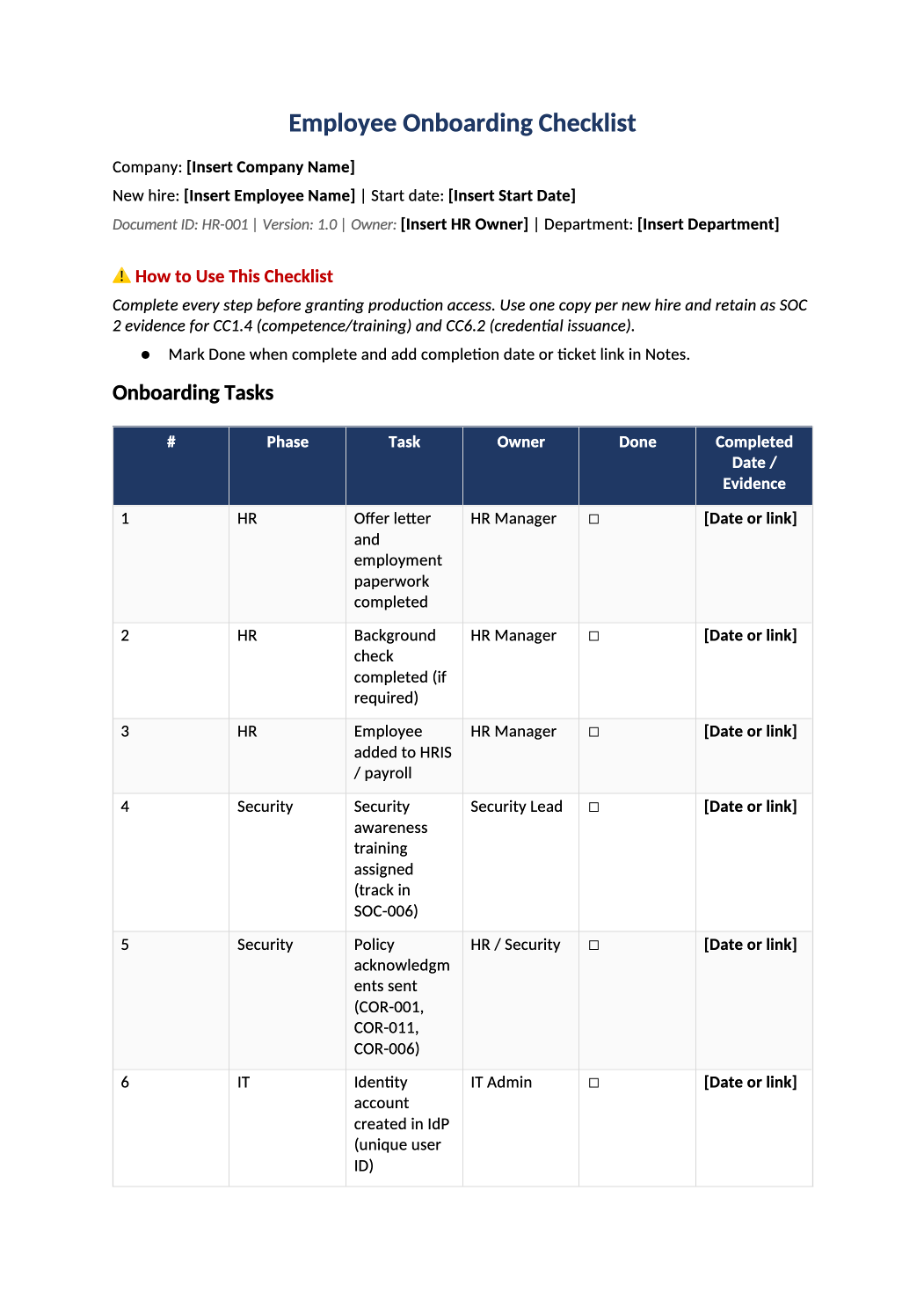
Employee Onboarding Checklist
Provisioning, security training, and access approvals for new hires — aligned to SOC 2 CC1 and CC6.
Employee onboarding checklist template — Use this checklist for every new employee before production access. Tie each row to your HRIS or IT ticket workflow and keep completed copies for auditors.
Recommended Owner: People Ops or HR | Security sign-off before prod access
What this file is for
Document purpose
Per-hire evidence that security steps completed before production access (CC1.4, CC6.2).
In your program: One completed checklist per new employee; file with HR ticket or SOC-006 training proof.
Before you start
Getting Started
- Create a copy per new hire — fill header: company, employee name, start date, department, and HR owner.
- Do not grant production access until Security rows (4–5) and IT rows (6–10) are marked Done with evidence in the last column.
- Assign each row to the owner in the Owner column — HR, Security, IT, or hiring manager.
Document tour
Fill out the file section by section
Work through the sections below in order. Each block matches a heading or tab in the downloaded HR-001 file.
- Replace Company, New hire, Start date, Department, and HR Owner before any tasks begin.
- Use the same legal entity name as SOC-004 and customer contracts.
- Work top to bottom — the Phase column tells you who owns each step (HR, Security, IT, Manager).
- Mark Done only when complete; the last column must have a date or ticket URL (not blank).
- Auditors commonly sample rows 4 (training), 7 (MFA), 9–10 (access approval + provisioning), and 13 (evidence filed).
Rows 1–3 · HR setup
- Row 1: Offer letter and I-9/W-4 (or local equivalent) completed before start date.
- Row 2: Background check — note vendor and clearance date if your policy requires it.
- Row 3: Employee record live in HRIS/payroll (BambooHR, Rippling, etc.) with correct start date.
Rows 4–5 · Security (before prod access)
- Row 4: Assign security awareness training; log completion in SOC-006 with the same employee name.
- Row 5: Send policy acknowledgments for COR-001, COR-011, and COR-006 — store signed PDFs or HRIS attestation export.
Rows 6–8 · IT identity & device
- Row 6: Create IdP account (Okta, Google Workspace, Azure AD) — unique corporate email, no shared logins.
- Row 7: Enroll MFA before any production system access; note method (hardware key, push, etc.).
- Row 8: Issue laptop with full-disk encryption and MDM (Jamf, Kandji, Intune) — record asset tag in SOC-014 if used.
Rows 9–11 · Access & briefing
- Row 9: Manager submits access request ticket; Security/IT approves role-based groups only (least privilege per COR-002).
- Row 10: Provision SSO apps and infra access listed on the approved ticket — no “default admin” bundles.
- Row 11: Manager confirms data-handling and acceptable-use briefing (especially for remote hires).
Rows 12–13 · Close-out
- Row 12: Update COR-005 org chart with title, manager, and department.
- Row 13: File this completed checklist (PDF) in your evidence repository — link ticket ID in the Notes column.
- Three signatures required: Hiring Manager, IT / Security, and HR — printed name, signature, and date.
- IT/Security sign-off confirms rows 6–10 complete; HR confirms rows 1–3 and 12–13.
- Delete gray sample signatory names before filing or sharing with auditors.
- Reference links only — no fields to fill here.
- Use SOC-006 for training evidence, COR-006 for training policy requirements, COR-002 for access rules.
Quality check
Before You Finalize
- Every task row marked Done (☐) with completion date or ticket URL in Completed Date / Evidence.
- Sign-off table completed by hiring manager, IT/security, and HR (delete gray sample names).
- Checklist saved as PDF or exported to your evidence folder; one file per hire for auditor sampling.
Evidence
Where to Store It
- Store the completed file in your compliance evidence folder (signed PDF for policies).
- Register the document in COR-013 with version, owner, and next review date.
- Link the file from your evidence index or SOC-005 project plan when you use Phase 3 trackers.