Incident Log Tracker Guide
Severity, timeline, containment, and closure fields for security events and drills.
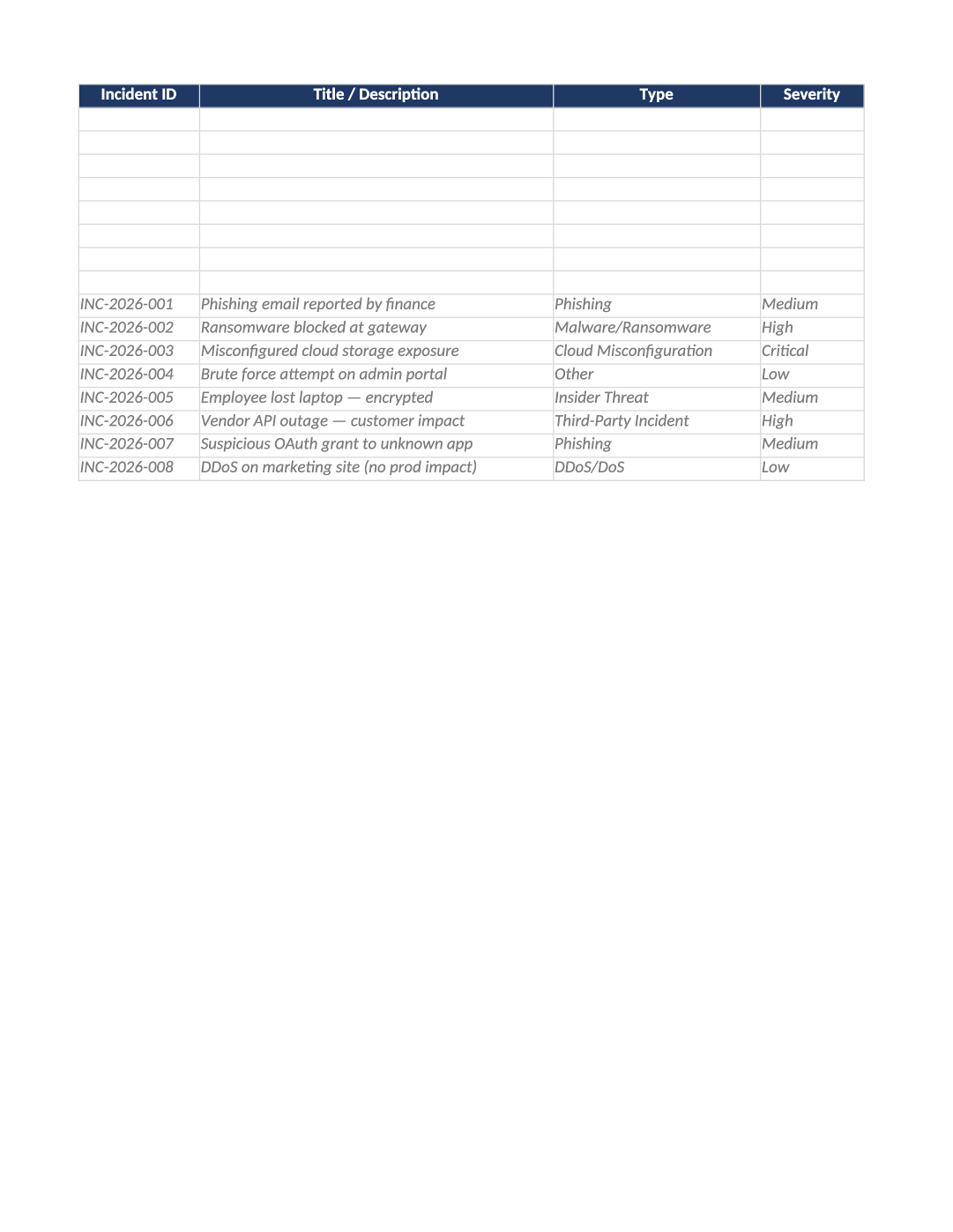
Incident Log and Triaging Tracker
Severity, timeline, containment, and closure fields for security events and drills.
Security incident log template — Open a row for every security incident and tabletop exercise. Severity drives escalation per COR-007.
Recommended Owner: Security Lead | On-call engineer updates live incidents
What this file is for
Document purpose
Security incident register (CC7.3–CC7.4 evidence).
In your program: Open row for every incident and tabletop; severity per COR-007.
Before you start
Getting Started
- Enable Editing; start on the Instructions sheet for tab order and version metadata.
- Use dropdowns only in validated columns; delete gray sample rows before auditor samples.
- Check Dashboard after data entry — formulas summarize completion and risk.
Document tour
Fill out the file section by section
Work through the sections below in order. Each block matches a heading or tab in the downloaded SOC-013 file.
- Incident ID / Title: unique ID per event.
- Type / Severity / Status: use dropdowns — align with COR-007 definitions.
- Detection / Containment / Resolution dates: SLA evidence.
- Regulatory Impact / Notification Status: Legal input for breaches.
- Root Cause / Lessons Learned: required before closing SEV1/SEV2.
- Evidence Link: ticket, postmortem doc, or Slack export.
Incident ID
- Assign stable Incident ID values — never reuse an ID for a different record in the audit period.
- Cross-reference IDs in related toolkit docs (SOC-021, COR-014, HR-001, etc.).
Title / Description
- Fill Title / Description for every in-scope row on Incident Register — use dropdowns where provided.
- Do not leave cells blank for active records; use N/A with a short reason if truly not applicable.
Type
- Fill Type for every in-scope row on Incident Register — use dropdowns where provided.
- Do not leave cells blank for active records; use N/A with a short reason if truly not applicable.
Severity
- Use dropdown values for Severity — align definitions with COR-003, COR-008, or COR-009.
- Inconsistent scoring between this file and meeting minutes (SOC-017/SOC-019) triggers auditor questions.
Status
- Select Status from the dropdown — free text breaks Dashboard formulas and heatmaps.
- Update through the lifecycle (Not Started → In Progress → Complete/Closed) before sign-off.
SLA Target (days)
- Fill SLA Target (days) for every in-scope row on Incident Register — use dropdowns where provided.
- Do not leave cells blank for active records; use N/A with a short reason if truly not applicable.
Detection Date
- Use consistent Detection Date format (YYYY-MM-DD) aligned with HRIS, IdP, or LMS exports.
- Dates must match supporting evidence — auditors compare log timestamps to HR records.
Containment Date
- Use consistent Containment Date format (YYYY-MM-DD) aligned with HRIS, IdP, or LMS exports.
- Dates must match supporting evidence — auditors compare log timestamps to HR records.
Resolution Date
- Use consistent Resolution Date format (YYYY-MM-DD) aligned with HRIS, IdP, or LMS exports.
- Dates must match supporting evidence — auditors compare log timestamps to HR records.
Regulatory Impact
- Use dropdown values for Regulatory Impact — align definitions with COR-003, COR-008, or COR-009.
- Inconsistent scoring between this file and meeting minutes (SOC-017/SOC-019) triggers auditor questions.
Notification Status
- Select Notification Status from the dropdown — free text breaks Dashboard formulas and heatmaps.
- Update through the lifecycle (Not Started → In Progress → Complete/Closed) before sign-off.
Root Cause
- Fill Root Cause for every in-scope row on Incident Register — use dropdowns where provided.
- Do not leave cells blank for active records; use N/A with a short reason if truly not applicable.
Incident Owner
- Assign stable Incident Owner values — never reuse an ID for a different record in the audit period.
- Cross-reference IDs in related toolkit docs (SOC-021, COR-014, HR-001, etc.).
Approved By
- Fill Approved By for every in-scope row on Incident Register — use dropdowns where provided.
- Do not leave cells blank for active records; use N/A with a short reason if truly not applicable.
Post-Review Date
- Use consistent Post-Review Date format (YYYY-MM-DD) aligned with HRIS, IdP, or LMS exports.
- Dates must match supporting evidence — auditors compare log timestamps to HR records.
Lessons Learned
- Fill Lessons Learned for every in-scope row on Incident Register — use dropdowns where provided.
- Do not leave cells blank for active records; use N/A with a short reason if truly not applicable.
Quality check
Before You Finalize
- Closed incidents have root cause and lessons learned.
- Regulatory notification status accurate.
Evidence
Where to Store It
- Store the completed file in your compliance evidence folder (signed PDF for policies).
- Register the document in COR-013 with version, owner, and next review date.
- Link the file from your evidence index or SOC-005 project plan when you use Phase 3 trackers.