Incident Response Policy Guide
Detection, escalation, containment, and post-incident review — mapped to SOC 2 CC7.
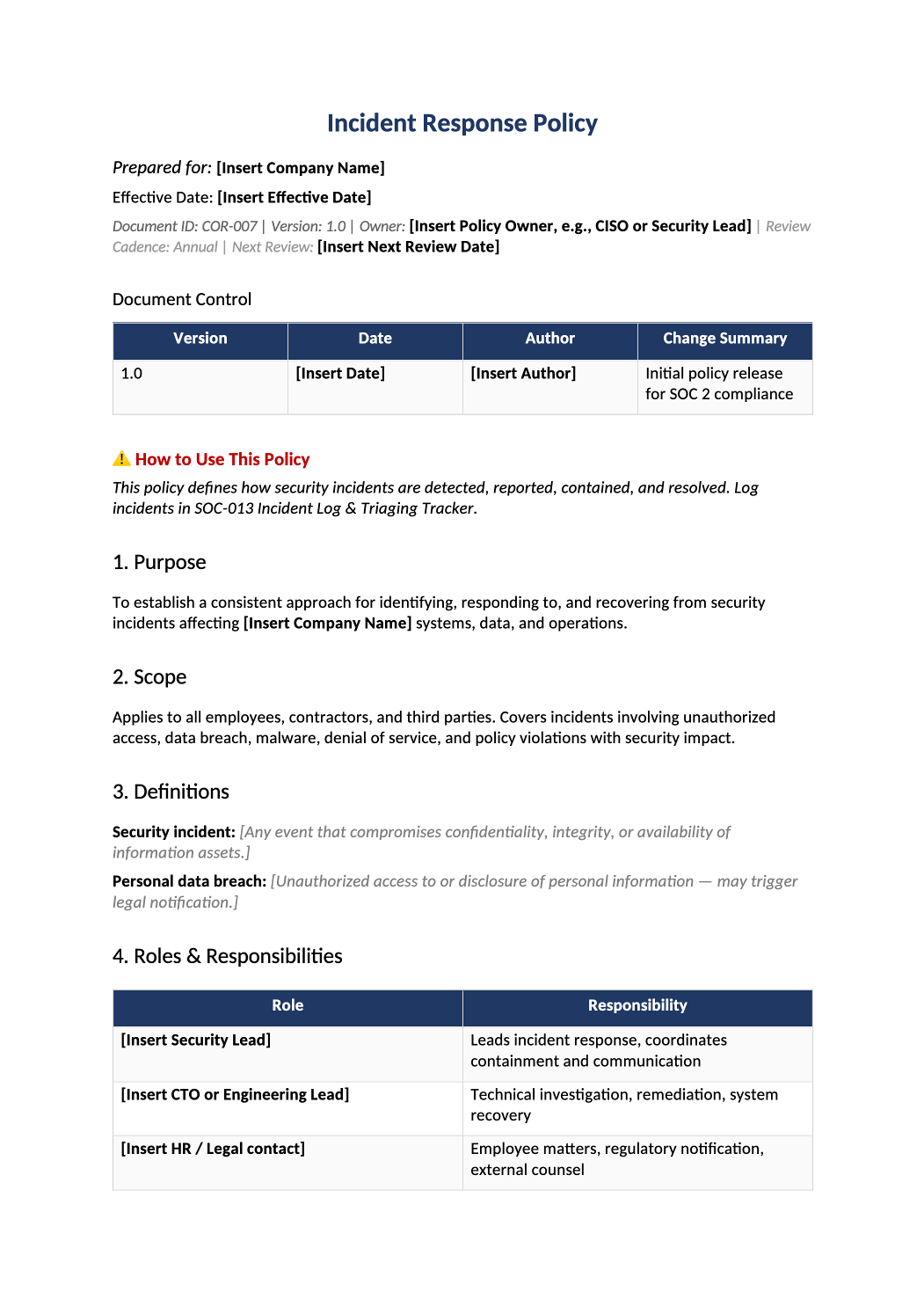
Incident Response Policy
Detection, escalation, containment, and post-incident review — mapped to SOC 2 CC7.
How to Fill Out This Incident Response Policy
Incident response policy template — Define who declares incidents and how you log them. Every real incident should have a matching row in SOC-013.
Recommended Owner: Security Lead | Legal for breach notification
What this file is for
Document purpose
IR policy defining severity, phases, and notification (CC7.3–CC7.4).
In your program: Every real incident gets a SOC-013 row; tabletops count as tests.
Before you start
Getting Started
- Enable Editing in Word; replace `[` placeholders and delete gray examples.
- Cross-check names and vendors with SOC-002, SOC-004, and Phase 1 COR policies.
Document tour
Fill out the file section by section
Work through the sections below in order. Each block matches a heading or tab in the downloaded COR-007 file.
1. Purpose
- Define commitment to detect, respond, and learn from security events.
- After editing 1. Purpose, search for `[` placeholders and gray sample names — auditors flag incomplete templates.
2. Scope
- All workforce and systems in SOC-002 boundary.
- After editing 2. Scope, search for `[` placeholders and gray sample names — auditors flag incomplete templates.
3. Definitions
- Align incident vs event vs breach with legal counsel definitions.
- After editing 3. Definitions, search for `[` placeholders and gray sample names — auditors flag incomplete templates.
4. Roles & Responsibilities
- Name incident commander, comms lead, and technical lead.
- After editing 4. Roles & Responsibilities, search for `[` placeholders and gray sample names — auditors flag incomplete templates.
5. Reporting
- 24/7 reporting channel (pager, security@, Slack) all employees know.
- After editing 5. Reporting, search for `[` placeholders and gray sample names — auditors flag incomplete templates.
6. Incident Response Phases
- Detection → Containment → Eradication/Recovery → Post-incident review (14 days).
- After editing 6. Incident Response Phases, search for `[` placeholders and gray sample names — auditors flag incomplete templates.
7. Severity Levels
- Map SEV1–SEV4 to escalation timeframes and executive notification.
- After editing 7. Severity Levels, search for `[` placeholders and gray sample names — auditors flag incomplete templates.
8. Communication & Notification
- When to involve Legal for breach notification laws.
- After editing 8. Communication & Notification, search for `[` placeholders and gray sample names — auditors flag incomplete templates.
9. Testing & Training
- Annual tabletop; results logged in SOC-013.
- After editing 9. Testing & Training, search for `[` placeholders and gray sample names — auditors flag incomplete templates.
10. Review and Approval
- Sign policy; review after major incident or annually.
- After editing 10. Review and Approval, search for `[` placeholders and gray sample names — auditors flag incomplete templates.
10.1 SOC 2 Common Criteria Mapping
- CC7.3/CC7.4 — keep mapping aligned with SOC-013 fields.
- After editing 10.1 SOC 2 Common Criteria Mapping, search for `[` placeholders and gray sample names — auditors flag incomplete templates.
Quality check
Before You Finalize
- Severity definitions match SOC-013 dropdowns.
- Customer/regulator notification roles named (Legal/executive).
Evidence
Where to Store It
- Store the completed file in your compliance evidence folder (signed PDF for policies).
- Register the document in COR-013 with version, owner, and next review date.
- Link the file from your evidence index or SOC-005 project plan when you use Phase 3 trackers.