Logging and Monitoring Standard Guide
Log sources, retention, alerting, and review cadence for SOC 2 CC7.2.
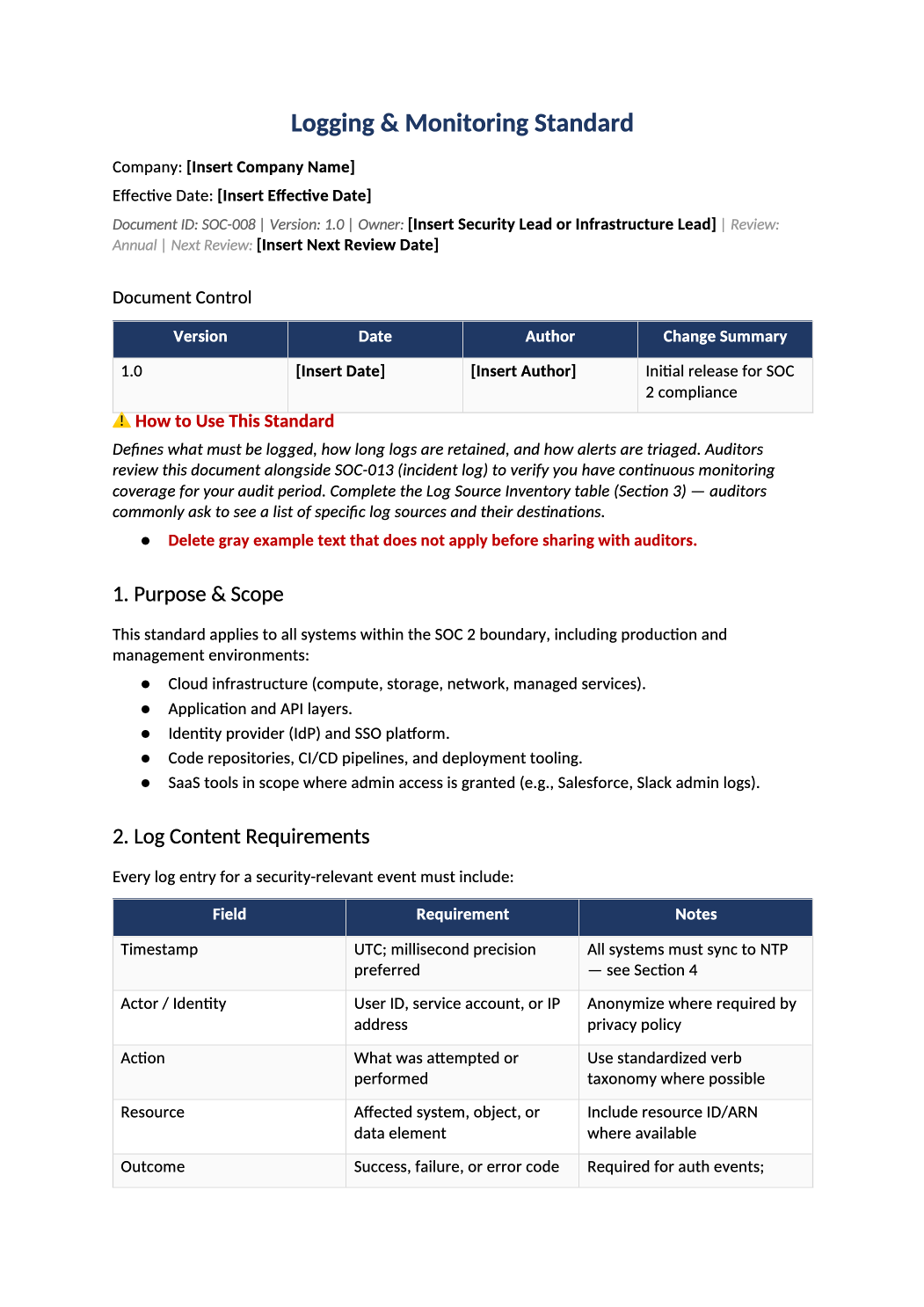
Logging and Monitoring Standard
Log sources, retention, alerting, and review cadence for SOC 2 CC7.2.
How to Fill Out This Logging and Monitoring Standard
Logging and monitoring standard template — List actual SIEM, cloud audit logs, and retention periods. If you do not have 24/7 SOC, document compensating reviews.
Recommended Owner: Security or Platform Engineering
What this file is for
Document purpose
Logging and monitoring standard (CC7.2).
In your program: Log sources must exist in infrastructure; retention matches vendor capability.
Before you start
Getting Started
- Enable Editing in Word; replace `[` placeholders and delete gray examples.
- Cross-check names and vendors with SOC-002, SOC-004, and Phase 1 COR policies.
Document tour
Fill out the file section by section
Work through the sections below in order. Each block matches a heading or tab in the downloaded SOC-008 file.
1. Purpose & Scope
- Systems in boundary that must emit security logs — match SOC-004.
- After editing 1. Purpose & Scope, search for `[` placeholders and gray sample names — auditors flag incomplete templates.
2. Log Content Requirements
- Timestamp, user, action, source IP — no passwords or secrets in logs.
- After editing 2. Log Content Requirements, search for `[` placeholders and gray sample names — auditors flag incomplete templates.
3. Log Source Inventory
- Complete every row — auditors request this table to verify coverage.
- Include IdP, cloud trail, app, DB audit, WAF, CI/CD.
4. Clock Synchronization (NTP)
- NTP source and max skew — critical for incident timelines.
- After editing 4. Clock Synchronization (NTP), search for `[` placeholders and gray sample names — auditors flag incomplete templates.
5. Log Protection & Integrity
- SIEM/WORM/immutability — who can delete logs.
- After editing 5. Log Protection & Integrity, search for `[` placeholders and gray sample names — auditors flag incomplete templates.
6. Retention Requirements
- Align with COR-004; state months per log type.
- After editing 6. Retention Requirements, search for `[` placeholders and gray sample names — auditors flag incomplete templates.
7. Monitoring & Alerting
- Critical/High alert examples and on-call rotation.
- After editing 7. Monitoring & Alerting, search for `[` placeholders and gray sample names — auditors flag incomplete templates.
8. PII & Sensitive Data in Logs
- Redaction rules — coordinate with Privacy/DPO.
- After editing 8. PII & Sensitive Data in Logs, search for `[` placeholders and gray sample names — auditors flag incomplete templates.
9. Alert Review & Tuning
- Quarterly tuning evidence — ticket or doc per review.
- After editing 9. Alert Review & Tuning, search for `[` placeholders and gray sample names — auditors flag incomplete templates.
10. Integration with Incident Response
- Critical alerts open SOC-013 rows per COR-007.
- After editing 10. Integration with Incident Response, search for `[` placeholders and gray sample names — auditors flag incomplete templates.
11. Related Documents
- COR-007, SOC-013, SOC-009 auth events.
- After editing 11. Related Documents, search for `[` placeholders and gray sample names — auditors flag incomplete templates.
12. SOC 2 Mapping
- CC7.2 — refresh when SIEM changes.
- After editing 12. SOC 2 Mapping, search for `[` placeholders and gray sample names — auditors flag incomplete templates.
Quality check
Before You Finalize
- Retention periods achievable with your SIEM/cloud logging.
Evidence
Where to Store It
- Store the completed file in your compliance evidence folder (signed PDF for policies).
- Register the document in COR-013 with version, owner, and next review date.
- Link the file from your evidence index or SOC-005 project plan when you use Phase 3 trackers.