Org Chart & Roles Guide
Clarify reporting lines, compliance ownership, and escalation paths across your engineering and security teams.
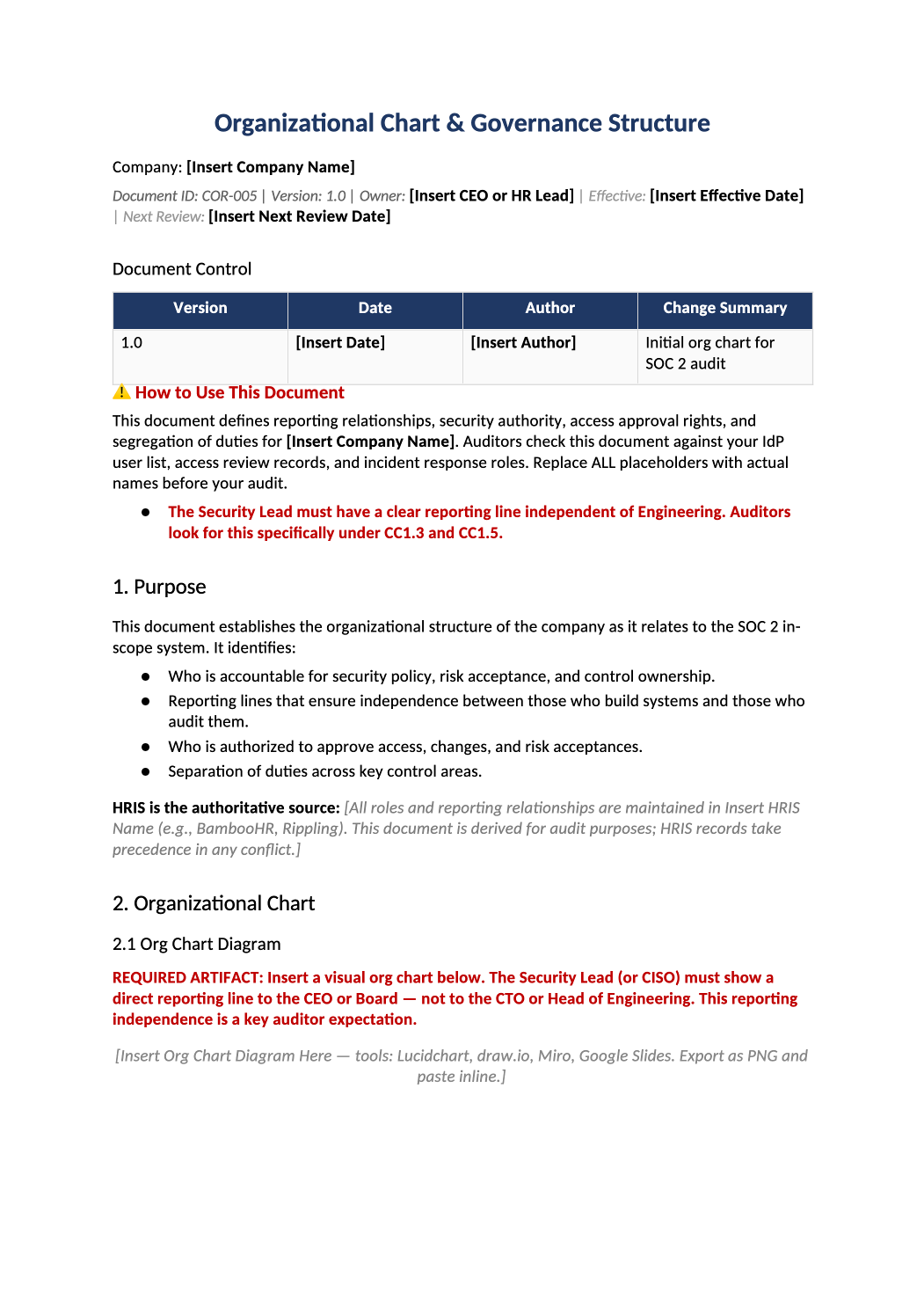
Map accountability for SOC 2 & compliance.
Executive sponsor, security lead, engineering owners, compliance RACI matrix, and incident escalation paths — all in one structured template.
Download Org Chart TemplateOrganizational chart template — This template helps you document your company’s reporting structure and key security roles. Auditors look for this to understand who is responsible for what (CC1.3).
Recommended Owner: HR Director or Operations Lead | Approval Required: CEO or Executive Leadership
Section 1
Getting Started
- Enable Editing: Click “Enable Editing” in Word.
- Fill in the Blanks: Replace all [Bold Brackets] with actual names and job titles.
- Add a Diagram: In Section 2.1, replace the placeholder text with a visual org chart (you can paste an image from Lucidchart, Visio, or PowerPoint). Visuals make it much easier for auditors to understand your hierarchy at a glance.
Document tour
Section-by-section walkthrough
Open the downloaded COR-005 file in Microsoft Word. Use the headings below as your checklist — complete each section before the final approval block.
- Replace [Insert Company Name] and confirm the objectives match what you actually commit to in SOC 2 and customer contracts.
- Delete gray example bullets if they do not apply to your stage (e.g., GDPR if you have no EU data).
- Insert your diagram in Section 2.1 — export PNG/PDF from Lucidchart, Miro, or draw.io.
2.1 Org Chart Diagram
- Show reporting lines for security, engineering, and executive oversight — keep it current.
2.2 Roles & Reporting Lines
- Fill the roles table with real names or titles — match COR-005 Organizational Chart if you use it.
- If one person wears multiple hats, document that explicitly; auditors expect named accountability.
- Document steering committee cadence (even if quarterly founder review counts at your size).
3.1 Security Steering Committee
- List attendees and outcomes — pair with SOC-017 minutes template in Phase 3 if purchased.
3.2 Security Independence
- Clarify who owns security vs. who approves access — avoid unchecked self-approval.
- Complete the signature table with name, title, and date — store the signed PDF for auditors.
- Fill the matrix honestly; document compensating controls where one person has conflicting roles.
- List contractors with prod access and how offboarding is enforced via HR-003.
- Identify bus-factor risks and named backups for security and engineering leads.
8. SOC 2 Criteria Mapping
- Leave mapping tables as-is unless your scope excludes criteria; they help auditors navigate the policy.
Section 4
Before You Finalize
Do a quick check before you save and share:
- Did you replace all [Bold Brackets] with real names?
- Did you insert a visual org chart in Section 2.1?
- Does the “Security Lead” (or equivalent) report to the CEO or a high-level executive?
- Do the names match your current HR records?
- Did you get the CEO or leadership to sign off (Section 6)?
Section 5
Where to Store It
- Save It: Keep the final signed PDF in your central compliance folder (Google Drive, SharePoint, Notion).
- Update It: Review this chart once a year, or whenever you hire/fire key leaders.
Pro Tips
Pro Tips for Success
- Keep It Simple: A simple box-and-line diagram is better than a complex, messy one. Clarity is key.
- Contractors Count: If you have key contractors (like a fractional CISO), include them in the chart and label them as “Contractor.”
- Consistency: Make sure the titles here match what’s in your Job Descriptions and Access Control Policy.
FAQ
Frequently Asked Questions
It’s highly recommended. Auditors love visuals because they’re easy to read. A table is okay, but a diagram is better.
No problem. Just list the person who handles security tasks (often the CTO or Engineering Lead) and note that they wear multiple hats.
Whoever actually does it today! If it’s the CTO, put the CTO. If it’s the CEO, put the CEO. The goal is to document your actual process, not an ideal one.
At least once a year, or whenever you have a big change in leadership.