External Privacy Notice
Your external-facing Privacy Notice, required by GDPR Article 13/14 and CCPA/CPRA. Tell users and regulators how you collect, use, and protect their personal information.
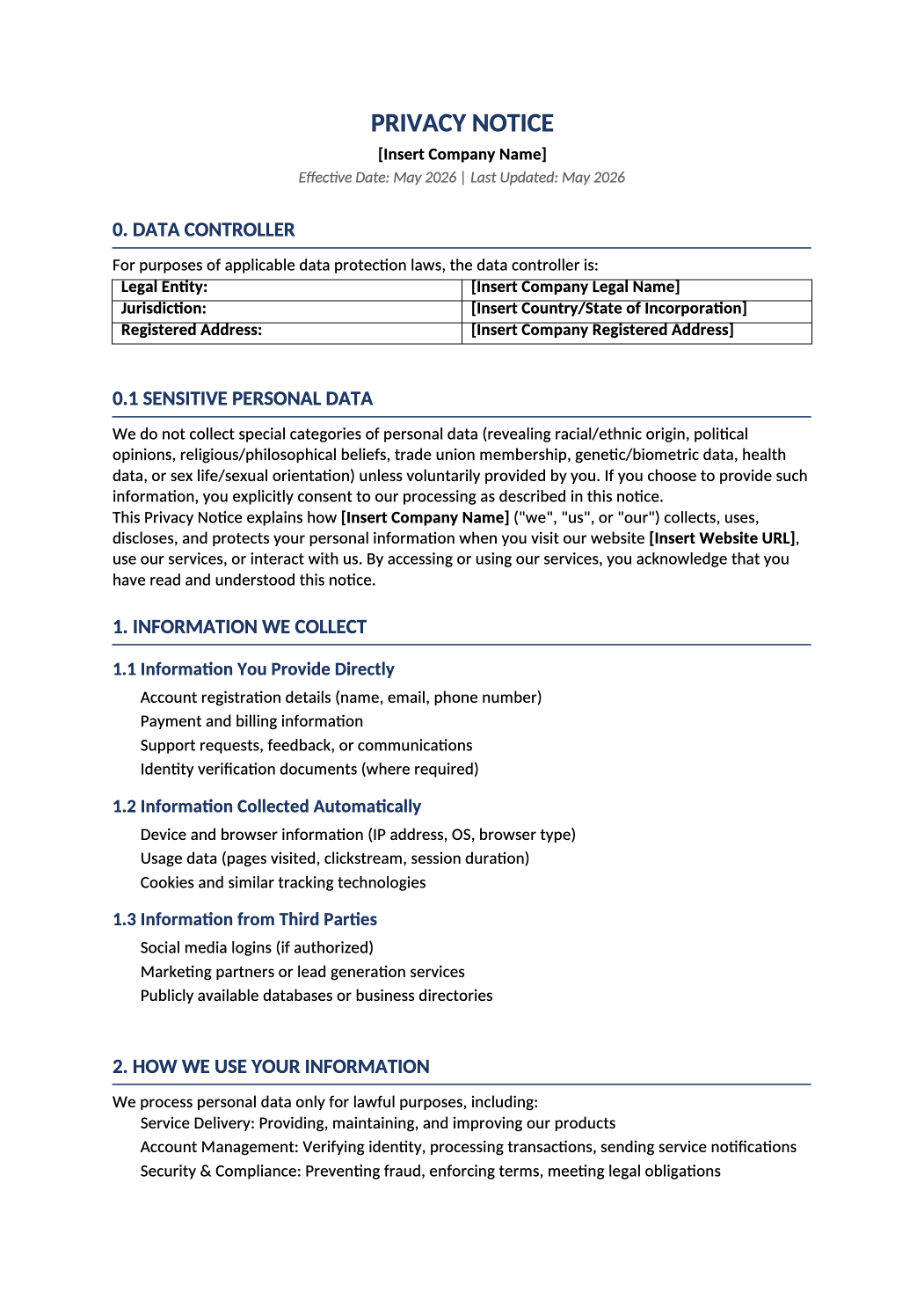
Communicate your data practices clearly.
GDPR/CCPA-compliant privacy notice template with controller identity, data categories, third-party disclosures, user rights, and retention schedules — all pre-structured.
This template is your external-facing Privacy Notice, required by GDPR Article 13/14 and CCPA/CPRA. It tells users (and regulators) how you collect, use, and protect their personal information.
Recommended Owner: Privacy Officer, Legal Counsel, or Compliance Lead | Approval Required: Executive Leadership (CEO/CTO) + Legal Review
Section 1
Getting Started
- Enable Editing: Click “Enable Editing” in Word.
- Fill in the Blanks: Replace all [Bold Brackets] with your company’s specific details. These are mandatory fields.
- Review Examples: Text in [regular brackets] are suggestions. Feel free to change them to match your actual practices. If a section doesn’t apply (you don’t collect children’s data), you can delete it.
- Legal Review: Always have this document reviewed by legal counsel before publishing.
Section 2
Key Things to Decide
Before you start, think about these questions:
-
Who is the Data Controller? Is it your main legal entity? List the exact registered name and address in Section 0.
-
What data do you actually collect? Be honest. If you don’t collect health data, keep the “Sensitive Personal Data” section as-is (stating you don’t collect it).
-
Which third parties do you use? Update the Sub-Processors table (Section 3.1) with your actual vendors (AWS, Stripe, etc.).
-
What are your retention periods? The table in Section 5 has examples. Adjust them to match your data retention policy.
Section 3
Helpful Tips for Specific Sections
- Section 0 (Controller Identity): This is a GDPR requirement. Use your official legal entity name and registered address.
- Section 3.1 (Sub-Processors): This table satisfies GDPR Article 13(1)(e). Keep it updated as you add new vendors.
- Section 7 (Your Rights): The rights listed are comprehensive. If you don’t operate in the EU or California, you can remove the irrelevant subsections, but keeping them shows thoroughness.
- Section 10 (Contact): Ensure the DPO email (privacy@yourcompany.com) is a real, monitored inbox.
- Section 12 (Version History): Update this table every time you revise the notice. Auditors love to see a clear change log.
Section 4
Before You Finalize
- Did you replace all [Bold Brackets] with your actual company details?
- Did you review and adjust the [example text] to match your practices?
- Does the Data Controller information match your legal entity registration?
- Did you update the Sub-Processors table with your actual vendors?
- Did you set realistic retention periods in Section 5?
- Has legal counsel reviewed and approved this notice?
Section 5
Where to Store & Publish It
- Publish: Post the final version on your website (e.g., yourcompany.com/privacy).
- Link: Reference this notice in your DSAR form, cookie banner, and terms of service.
- Archive: Save the signed/approved version in your compliance evidence folder.
- Share: Notify your team (Support, Engineering, Marketing) when it’s live so they can reference it.
Pro Tips
Pro Tips for Success
- Keep It Accurate: Don’t promise practices you don’t follow. If you say “we encrypt all data,” make sure you actually do. Auditors prefer honesty over perfection.
- Link to Procedures: If you have separate documents for “Cookie Policy” or “Data Retention Schedule,” reference them here. It keeps this notice concise.
- Review Annually: Privacy laws change. Review this notice at least once a year or when you launch new features.
FAQ
Frequently Asked Questions
Not necessarily. GDPR requires a DPO only for certain organizations (large-scale processing of sensitive data, public authorities, etc.). If you don’t have one, list “Privacy Team” or “Legal Counsel” as the contact.
Keep Section 0.1 as-is. Stating that you don’t collect special category data is a compliance safeguard.
The table provides categories and examples. For a full, real-time list, you can link to a separate sub-processor page (common for SaaS companies).