Access Review Sign-Off Guide
Management attestation that quarterly access reviews were performed per SOC-010.
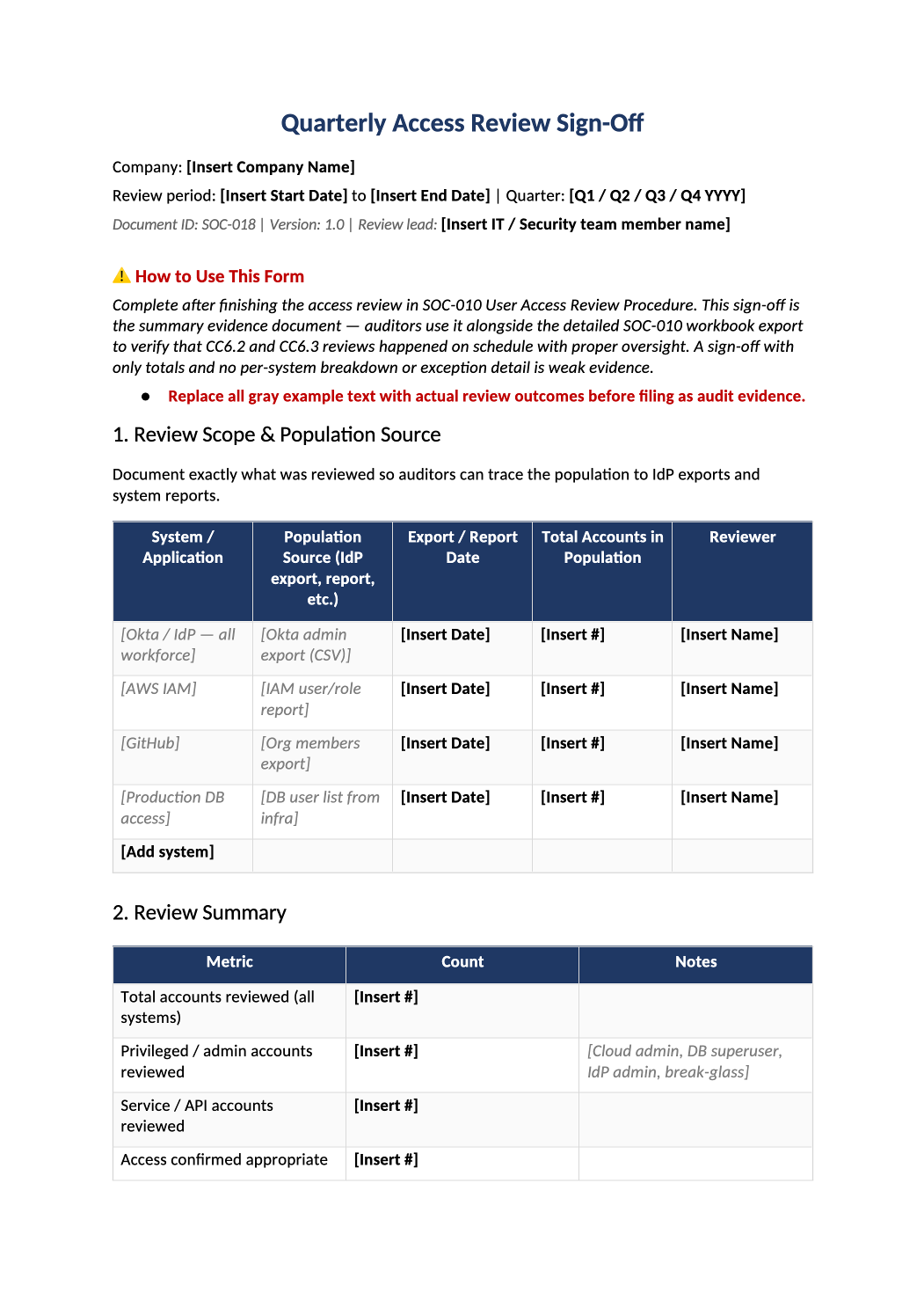
Quarterly Access Review Sign-Off
Management attestation that quarterly access reviews were performed per SOC-010.
How to Fill Out This Quarterly Access Review Sign-Off
Quarterly access review sign-off template — Formal sign-off after completing SOC-010 workbook — auditors sample this for CC6.3.
Recommended Owner: Security Lead + system owners | Executive acknowledgment
What this file is for
Document purpose
Management attestation that quarterly access reviews (SOC-010) were completed (CC6.3).
In your program: Complete after SOC-010; auditors match sign-off date to IdP exports in section 1.
Before you start
Getting Started
- Enable Editing in Word; replace `[` placeholders and delete gray examples.
- Cross-check dates, owners, and metrics with Phase 1–2 trackers (SOC-003, SOC-010, SOC-013, SOC-030).
Document tour
Fill out the file section by section
Work through the sections below in order. Each block matches a heading or tab in the downloaded SOC-018 file.
1. Review Scope & Population Source
- One row per system: population source (Okta export, IAM report) and export date auditors can reperform.
- Total accounts must reconcile to SOC-010 row counts.
2. Review Summary
- Metrics must math: reviewed = appropriate + modified + revoked + deferred + exceptions.
- Privileged and service account counts must match section 4 detail rows.
3. Exceptions & Access Changes
- Every revocation/modification needs ticket # in Evidence column — auditors sample this table.
- After editing 3. Exceptions & Access Changes, search for `[` placeholders and gray sample names — auditors flag incomplete templates.
4. Privileged Account Detail
- Justify each admin/root/service account; Last Used date from logs where possible.
- Revoke or document break-glass for unused privileged accounts.
5. Deferred Items
- If any deferrals, each needs follow-up owner and date within 30 days — avoid empty deferral habit.
- After editing 5. Deferred Items, search for `[` placeholders and gray sample names — auditors flag incomplete templates.
6. Systems Out of Scope / Not Reviewed This Cycle
- If a SOC-002 system was skipped, document why and when it will be in next SOC-010 cycle.
- After editing 6. Systems Out of Scope / Not Reviewed This Cycle, search for `[` placeholders and gray sample names — auditors flag incomplete templates.
7. Certification
- Paste link to SOC-010 file and raw IdP/access exports used for the review.
- After editing 7. Certification, search for `[` placeholders and gray sample names — auditors flag incomplete templates.
8. Sign-Off
- Three roles: IT/Security performer, system owner certifier, Security Lead/CTO approver.
- After editing 8. Sign-Off, search for `[` placeholders and gray sample names — auditors flag incomplete templates.
Related Documents
- Cross-reference list only — ensure SOC-010 and COR-002 are actually complete.
- After editing Related Documents, search for `[` placeholders and gray sample names — auditors flag incomplete templates.
Quality check
Before You Finalize
- Section 1 lists every system reviewed with export date and population count.
- Section 7 certification links to SOC-010 workbook or IdP CSV.
- Sections 3–4 exceptions and privileged accounts trace to change tickets.
Evidence
Where to Store It
- Store the completed file in your compliance evidence folder (signed PDF for policies).
- Register the document in COR-013 with version, owner, and next review date.
- Link the file from your evidence index or SOC-005 project plan when you use Phase 3 trackers.