Risk Acceptance Form Guide
Document management-approved exceptions when you cannot meet a control by the audit date.
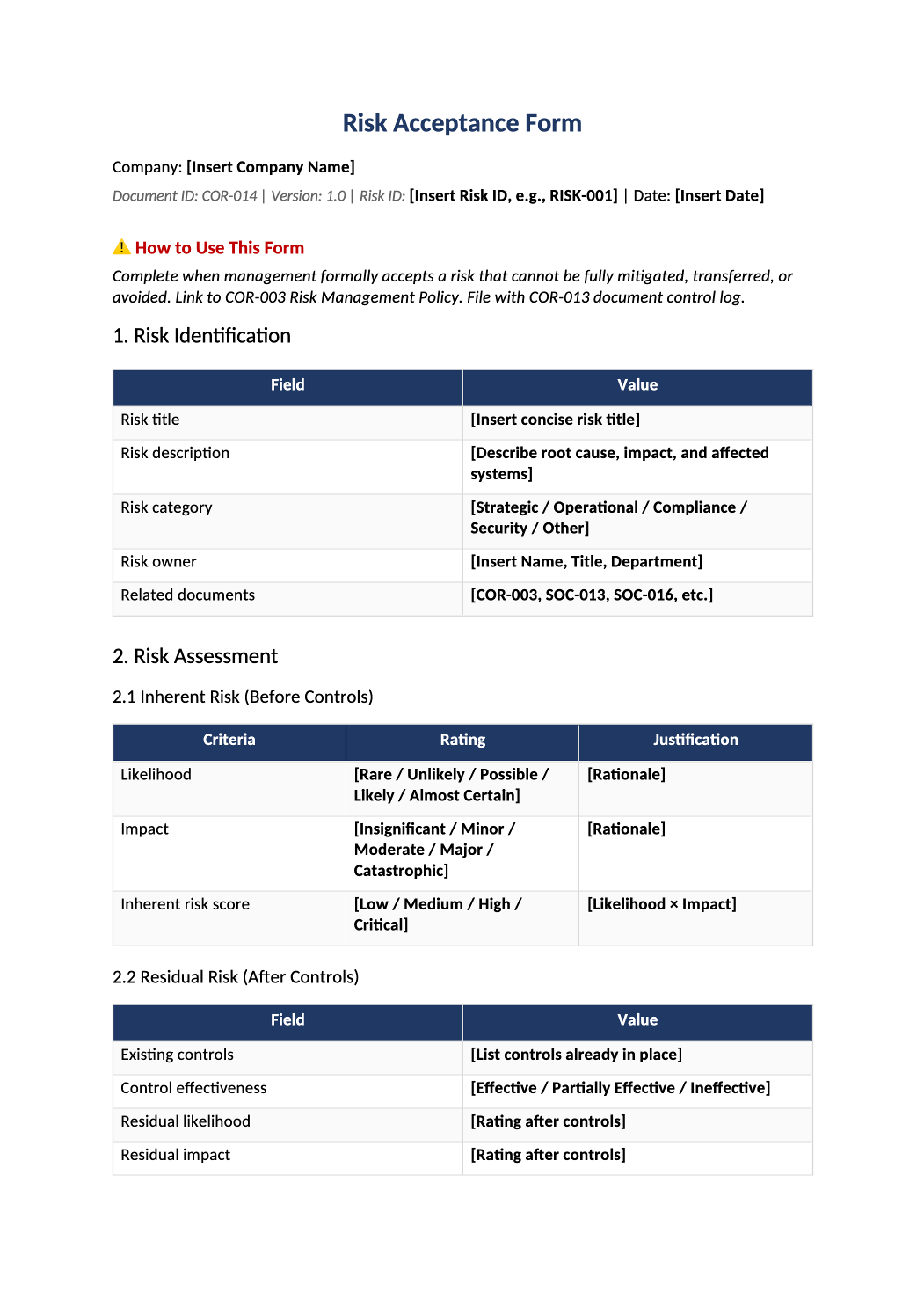
Risk Acceptance Form
Document management-approved exceptions when you cannot meet a control by the audit date.
Risk acceptance form template — Use for time-bound exceptions only — not permanent waivers. Link each acceptance to COR-003 risk treatment and SOC-003 gaps.
Recommended Owner: Security Lead | Executive approver signs
What this file is for
Document purpose
Formal management sign-off for control exceptions (CC3, CC6).
In your program: Use for time-bound gaps; not a permanent waiver.
Before you start
Getting Started
- Enable Editing in Word; replace `[` placeholders and delete gray examples.
- Cross-check names and vendors with SOC-002, SOC-004, and Phase 1 COR policies.
Document tour
Fill out the file section by section
Work through the sections below in order. Each block matches a heading or tab in the downloaded COR-014 file.
- Name the control gap, system, and TSC/CC reference (e.g., CC6.3).
- After editing 1. Risk Identification, search for `[` placeholders and gray sample names — auditors flag incomplete templates.
- Score inherent and residual risk using the embedded matrix.
- After editing 2. Risk Assessment, search for `[` placeholders and gray sample names — auditors flag incomplete templates.
2.1 Inherent Risk (Before Controls)
- Honest score before compensating controls — auditors challenge low scores.
- After editing 2.1 Inherent Risk (Before Controls), search for `[` placeholders and gray sample names — auditors flag incomplete templates.
2.2 Residual Risk (After Controls)
- Score after compensating controls; must be acceptable to approver.
- After editing 2.2 Residual Risk (After Controls), search for `[` placeholders and gray sample names — auditors flag incomplete templates.
2.3 Risk Scoring Reference
- Use consistent 1–5 scales — do not change mid-year without COR-003 update.
- After editing 2.3 Risk Scoring Reference, search for `[` placeholders and gray sample names — auditors flag incomplete templates.
- Accept, mitigate, transfer, or avoid — most SOC-2 exceptions are Accept with expiry.
- After editing 3. Treatment Decision, search for `[` placeholders and gray sample names — auditors flag incomplete templates.
3.1 Justification for Acceptance
- Business reason and why mitigation is impractical now.
- After editing 3.1 Justification for Acceptance, search for `[` placeholders and gray sample names — auditors flag incomplete templates.
3.2 Acceptance Conditions
- Expiry date, monitoring, and compensating controls required.
- After editing 3.2 Acceptance Conditions, search for `[` placeholders and gray sample names — auditors flag incomplete templates.
- Approver authority must match COR-003 risk acceptance section.
- After editing 4. Approval, search for `[` placeholders and gray sample names — auditors flag incomplete templates.
Approver Sign-Off
- Named executive or Security Lead signature with date.
- After editing Approver Sign-Off, search for `[` placeholders and gray sample names — auditors flag incomplete templates.
- Quarterly review of open acceptances — close or renew before expiry.
- After editing 5. Review History, search for `[` placeholders and gray sample names — auditors flag incomplete templates.
- COR-003, SOC-003 control row, SOC-019 minutes if discussed.
- After editing Related Documents, search for `[` placeholders and gray sample names — auditors flag incomplete templates.
Quality check
Before You Finalize
- Each acceptance has expiry and compensating controls.
- Approver matches COR-003 Section 7.5 authority.
Evidence
Where to Store It
- Store the completed file in your compliance evidence folder (signed PDF for policies).
- Register the document in COR-013 with version, owner, and next review date.
- Link the file from your evidence index or SOC-005 project plan when you use Phase 3 trackers.