Risk Review Meeting Minutes Guide
Quarterly risk committee minutes tied to SOC-030 risk register and COR-014 acceptances.
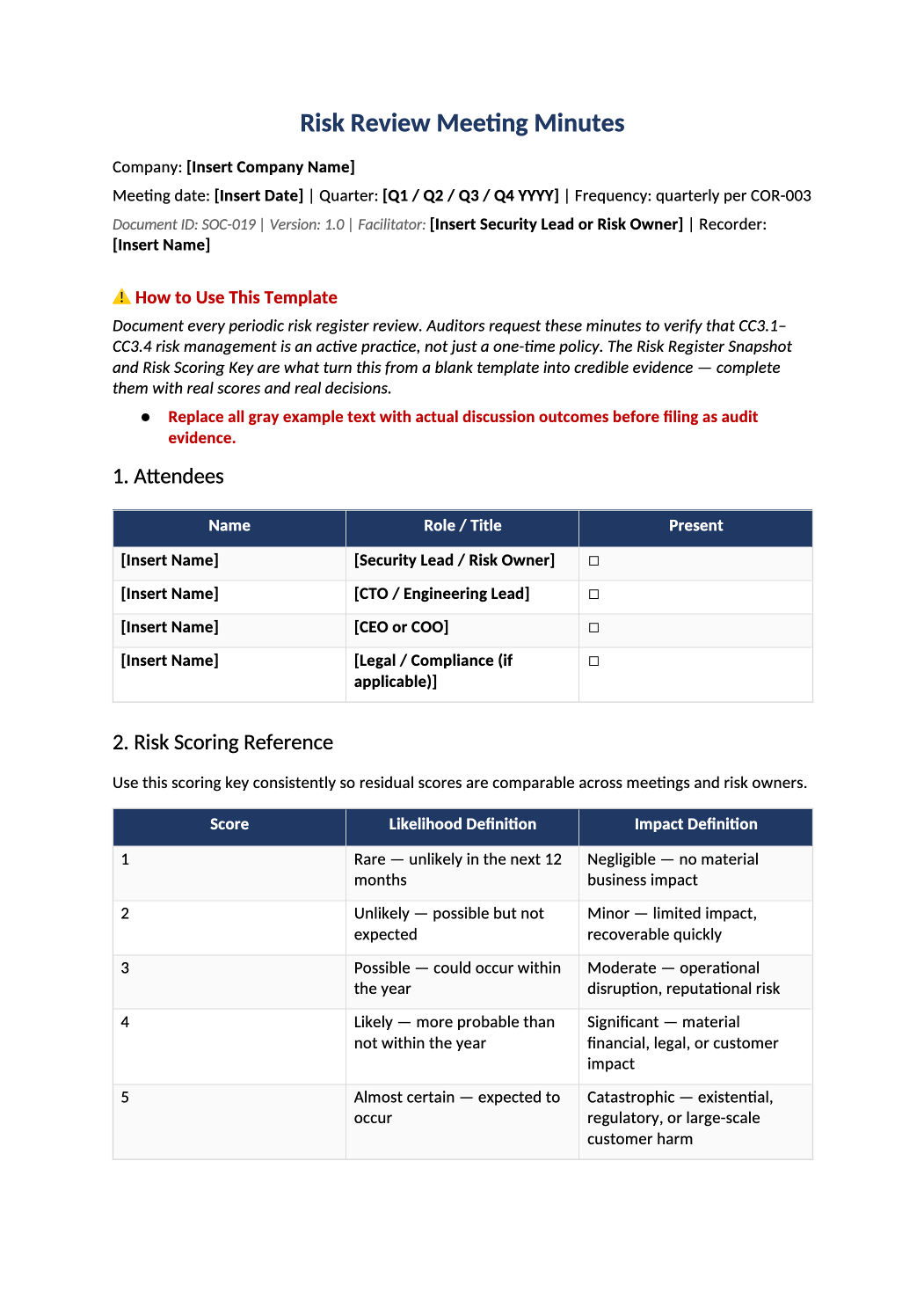
Risk Review Meeting Minutes
Quarterly risk committee minutes tied to SOC-030 risk register and COR-014 acceptances.
How to Fill Out This Risk Review Meeting Minutes
Risk review meeting minutes template — Record risk review meetings — supports CC3 and COR-003 risk program.
Recommended Owner: Security Lead | Risk committee chair
What this file is for
Document purpose
Risk committee meeting minutes supporting CC3 and COR-003.
In your program: Update SOC-030 in the same week; reference COR-014 for accepted risks.
Before you start
Getting Started
- Enable Editing in Word; replace `[` placeholders and delete gray examples.
- Cross-check dates, owners, and metrics with Phase 1–2 trackers (SOC-003, SOC-010, SOC-013, SOC-030).
Document tour
Fill out the file section by section
Work through the sections below in order. Each block matches a heading or tab in the downloaded SOC-019 file.
1. Attendees
- Include risk owners for top 5 risks when possible.
- After editing 1. Attendees, search for `[` placeholders and gray sample names — auditors flag incomplete templates.
2. Risk Scoring Reference
- Confirm scales match SOC-030 Rating Key — do not change mid-year without documenting here.
- After editing 2. Risk Scoring Reference, search for `[` placeholders and gray sample names — auditors flag incomplete templates.
3. Previous Action Items Review
- Close or reschedule every open risk action from last minutes.
- After editing 3. Previous Action Items Review, search for `[` placeholders and gray sample names — auditors flag incomplete templates.
4. Risk Register Snapshot
- Paste or summarize counts by residual rating from SOC-030 Dashboard.
- After editing 4. Risk Register Snapshot, search for `[` placeholders and gray sample names — auditors flag incomplete templates.
5. Risk Register Changes Since Last Meeting
- Document rating changes, new threats, and closed risks with rationale.
- After editing 5. Risk Register Changes Since Last Meeting, search for `[` placeholders and gray sample names — auditors flag incomplete templates.
6. New Risks Identified This Quarter
- Assign Risk ID consistent with SOC-030 numbering before filing minutes.
- After editing 6. New Risks Identified This Quarter, search for `[` placeholders and gray sample names — auditors flag incomplete templates.
7. Accepted Risks (COR-014)
- List COR-014 form IDs, expiry dates, and compensating controls discussed.
- After editing 7. Accepted Risks (COR-014), search for `[` placeholders and gray sample names — auditors flag incomplete templates.
8. Risk Landscape Discussion
- External changes (new product, M&A, regulator) affecting inherent risk.
- After editing 8. Risk Landscape Discussion, search for `[` placeholders and gray sample names — auditors flag incomplete templates.
9. Action Items
- Owner and due date per item; link SOC-030 treatment plan updates.
- After editing 9. Action Items, search for `[` placeholders and gray sample names — auditors flag incomplete templates.
10. Next Meeting
- Date and planned focus areas.
- After editing 10. Next Meeting, search for `[` placeholders and gray sample names — auditors flag incomplete templates.
11. Approval
- Risk committee chair sign-off.
- After editing 11. Approval, search for `[` placeholders and gray sample names — auditors flag incomplete templates.
SOC 2 Mapping
- Reference CC3 criteria; no fill required.
- After editing SOC 2 Mapping, search for `[` placeholders and gray sample names — auditors flag incomplete templates.
Quality check
Before You Finalize
- Section 4 snapshot matches SOC-030 export dated at meeting.
- Section 7 lists every open COR-014 with expiry.
Evidence
Where to Store It
- Store the completed file in your compliance evidence folder (signed PDF for policies).
- Register the document in COR-013 with version, owner, and next review date.
- Link the file from your evidence index or SOC-005 project plan when you use Phase 3 trackers.