Sample Incident Report (Example Only)
Phishing incident narrative with timeline and evidence references — model for SOC-013 rows.
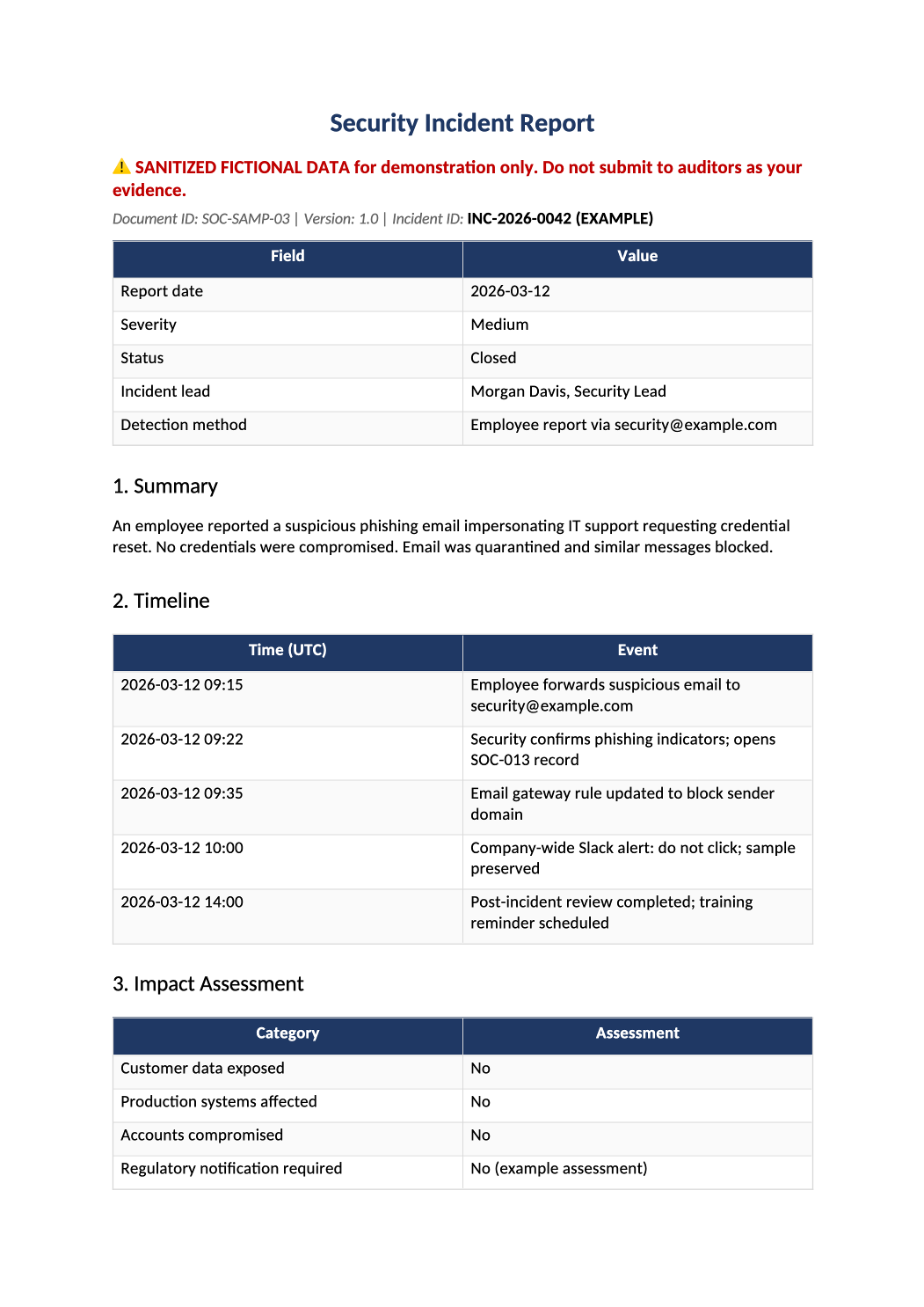
Sample Completed Incident Report
Phishing incident narrative with timeline and evidence references — model for SOC-013 rows.
Sample SOC 2 incident report example — Shows the level of detail auditors sample for CC7.3/CC7.4. Write your own report per SOC-013; do not copy Acme text into production records.
Recommended Owner: Security Lead | IR lead drafts, legal reviews severity
What this file is for
Document purpose
Example incident report narrative for phishing — model depth for SOC-013 ticket packages.
In your program: CC7.3/CC7.4 sampling; timeline and evidence references must be factual in your SOC-013 rows.
Before you start
Getting Started
- Example only — sanitized fictional data (Acme Corp). Do not submit to auditors or regulators.
- Copy structure and column usage into your live template (SOC-030, SOC-010, AI-014b, etc.).
- Delete or overwrite every sample row before internal circulation.
Document tour
Fill out the file section by section
Work through the sections below in order. Each block matches a heading or tab in the downloaded SOC-SAMP-03 file.
- One paragraph: what happened, scope, and current status — no marketing language.
- After editing 1. Summary, search for `[` placeholders and gray sample names — auditors flag incomplete templates.
- UTC timestamps for detect, contain, eradicate, recover, and close.
- After editing 2. Timeline, search for `[` placeholders and gray sample names — auditors flag incomplete templates.
- Data categories affected, user count, regulatory trigger assessment.
- After editing 3. Impact Assessment, search for `[` placeholders and gray sample names — auditors flag incomplete templates.
- Concrete actions taken — block lists, resets, comms, not policy titles alone.
- After editing 4. Containment & Remediation, search for `[` placeholders and gray sample names — auditors flag incomplete templates.
- Link improvements to COR-006 training or SOC-012 change controls where applicable.
- After editing 5. Root Cause & Lessons Learned, search for `[` placeholders and gray sample names — auditors flag incomplete templates.
- Ticket IDs, log exports, and SOC-013 row reference — auditors trace here.
- After editing 6. Evidence References, search for `[` placeholders and gray sample names — auditors flag incomplete templates.
- Security lead or delegate sign-off with date — required for Type II samples.
- After editing Approval, search for `[` placeholders and gray sample names — auditors flag incomplete templates.
Quality check
Before You Finalize
- Production incidents need real ticket IDs, timestamps, and approver signatures.
Evidence
Where to Store It
- Store the completed file in your compliance evidence folder (signed PDF for policies).
- Register the document in COR-013 with version, owner, and next review date.
- Link the file from your evidence index or SOC-005 project plan when you use Phase 3 trackers.