Security Steering Committee Minutes Guide
Quarterly governance minutes with KPIs, decisions, and action items for SOC 2 CC1.2.
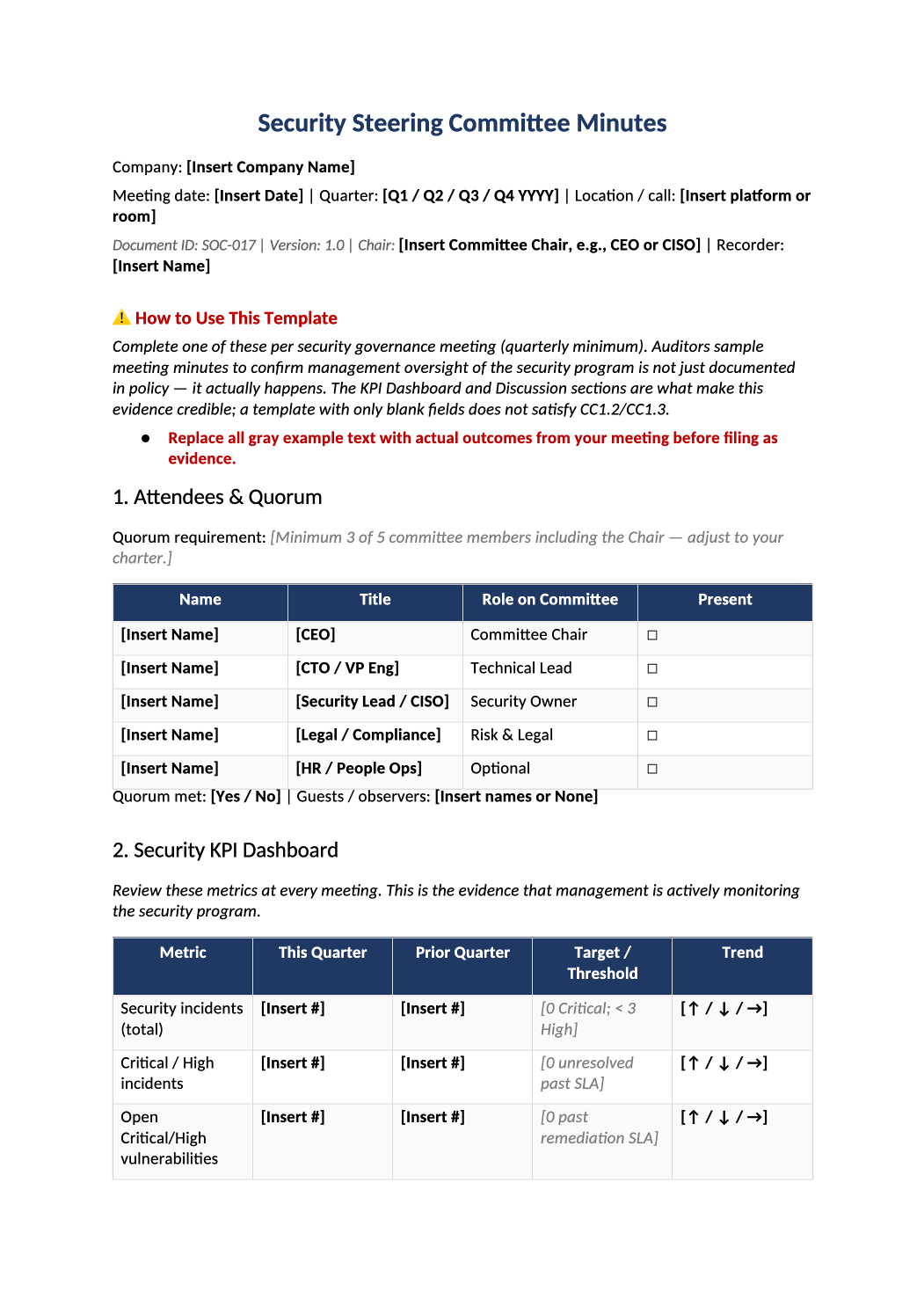
Security Steering Committee Minutes
Quarterly governance minutes with KPIs, decisions, and action items for SOC 2 CC1.2.
Security committee meeting minutes template — Document security steering committee meetings — evidence that leadership oversees risk and compliance (CC1.2).
Recommended Owner: Security Lead or CISO | Chair signs each set of minutes
What this file is for
Document purpose
Quarterly security steering committee minutes proving management oversight (CC1.2, CC1.3).
In your program: One completed file per meeting; KPI table must show real metrics, not placeholders.
Before you start
Getting Started
- Enable Editing in Word; replace `[` placeholders and delete gray examples.
- Cross-check dates, owners, and metrics with Phase 1–2 trackers (SOC-003, SOC-010, SOC-013, SOC-030).
Document tour
Fill out the file section by section
Work through the sections below in order. Each block matches a heading or tab in the downloaded SOC-017 file.
- Align committee roster with COR-005; mark Present only for attendees.
- Document quorum rule (e.g., 3 of 5 including Chair) and whether it was met.
- Use real counts from SOC-013 (incidents), vuln tool or SOC-012, SOC-006 training %, SOC-010/SOC-018 access review status.
- Prior-quarter column must be last meeting’s numbers — auditors check trends.
- Carry forward every open item from last quarter’s section 6; close with evidence or new due date.
- After editing 3. Previous Action Items Review, search for `[` placeholders and gray sample names — auditors flag incomplete templates.
- Complete every 4A–4F subsection — blank narrative fails CC1.2 sampling.
- After editing 4. Agenda Item Discussion, search for `[` placeholders and gray sample names — auditors flag incomplete templates.
4A. Risk & Open Findings
- Summarize top SOC-030 risks, new COR-014 acceptances, and overdue risk reviews.
- After editing 4A. Risk & Open Findings, search for `[` placeholders and gray sample names — auditors flag incomplete templates.
4B. Incident & Vulnerability Summary
- Reference SOC-013 ticket IDs; state Critical/High vulns past SLA and pentest status.
- After editing 4B. Incident & Vulnerability Summary, search for `[` placeholders and gray sample names — auditors flag incomplete templates.
4C. SOC 2 / Compliance Program Status
- Audit timeline, readiness %, open PBC gaps, and Type I/II milestones.
- After editing 4C. SOC 2 / Compliance Program Status, search for `[` placeholders and gray sample names — auditors flag incomplete templates.
4D. Vendor & Third-Party Updates
- Critical vendor SOC report status from SOC-014; flag expiring reports and SOC-020 follow-ups.
- After editing 4D. Vendor & Third-Party Updates, search for `[` placeholders and gray sample names — auditors flag incomplete templates.
4E. Policy & Control Changes
- List COR/SOC version updates published via COR-013 since last meeting.
- After editing 4E. Policy & Control Changes, search for `[` placeholders and gray sample names — auditors flag incomplete templates.
4F. Other Business
- Budget, hiring, or tooling decisions affecting security — or write None.
- After editing 4F. Other Business, search for `[` placeholders and gray sample names — auditors flag incomplete templates.
- Formal votes/approvals only (policy adoption, risk acceptance, budget) — not operational tasks.
- After editing 5. Decisions & Formal Approvals, search for `[` placeholders and gray sample names — auditors flag incomplete templates.
- Each row: action, owner, due date; link to Jira/Linear ticket when created.
- After editing 6. New Action Items, search for `[` placeholders and gray sample names — auditors flag incomplete templates.
- Scheduled date, location, and draft agenda topics.
- After editing 7. Next Meeting, search for `[` placeholders and gray sample names — auditors flag incomplete templates.
- Chair and recorder signatures with dates; export PDF to evidence repo within 5 business days.
- After editing 8. Approval & Sign-Off, search for `[` placeholders and gray sample names — auditors flag incomplete templates.
SOC 2 Mapping
- Reference only — maps minutes to CC1.2/CC1.3; no fields to fill.
- After editing SOC 2 Mapping, search for `[` placeholders and gray sample names — auditors flag incomplete templates.
Quality check
Before You Finalize
- Quorum documented; chair signed on section 8.
- KPI dashboard (section 2) populated from SOC-013, SOC-010, SOC-030, and SOC-006.
- Sections 5–6 action items have owners, due dates, and ticket links.
Evidence
Where to Store It
- Store the completed file in your compliance evidence folder (signed PDF for policies).
- Register the document in COR-013 with version, owner, and next review date.
- Link the file from your evidence index or SOC-005 project plan when you use Phase 3 trackers.