Readiness Scanner & Gap Analysis Guide
Domain-level CC scoring (0–4), gap remediation log, and monthly trend history.
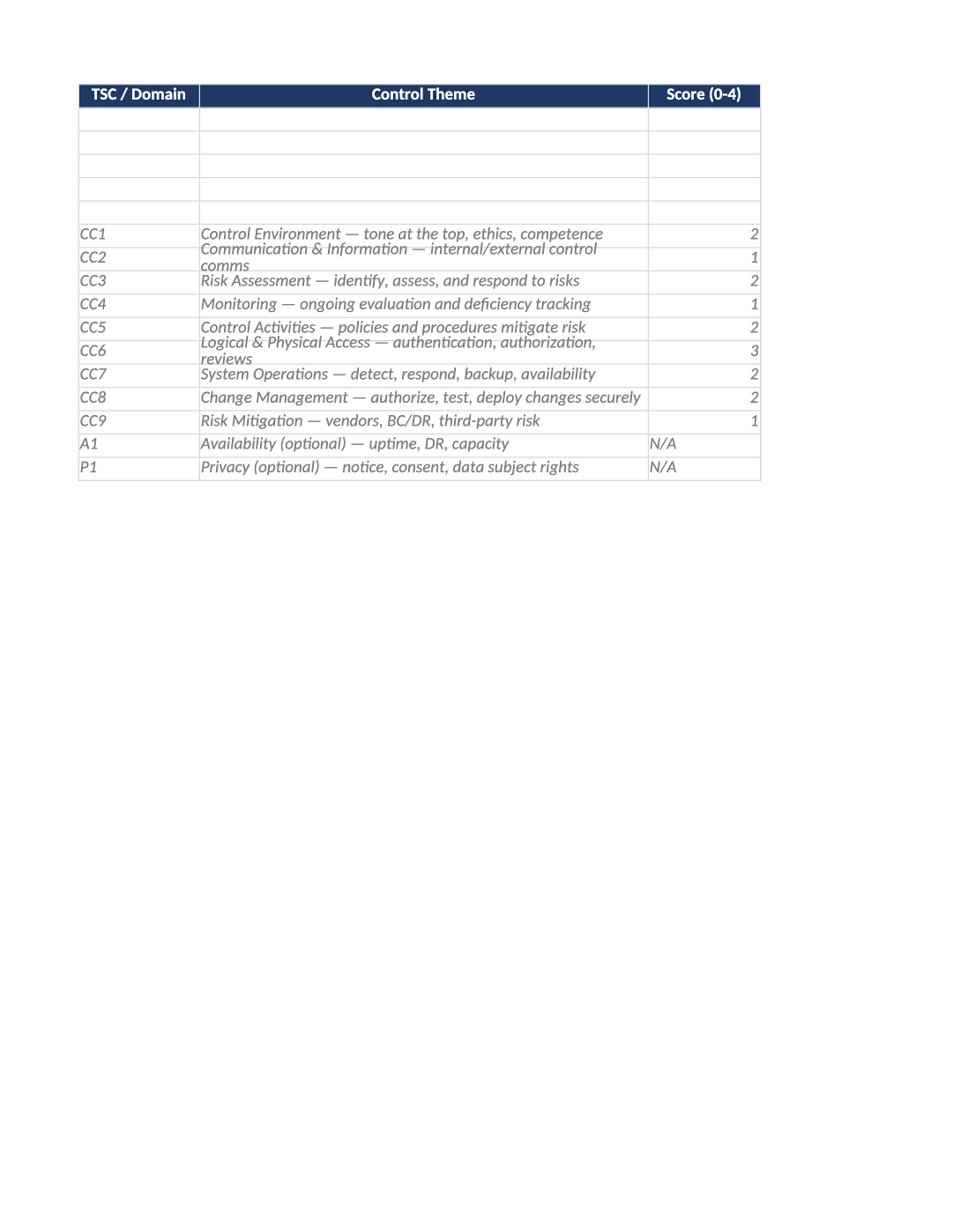
SOC 2 Readiness Scanner and Gap Analysis
Domain-level CC scoring (0–4), gap remediation log, and monthly trend history.
How to Fill Out This SOC 2 Readiness Scanner and Gap Analysis
SOC 2 readiness scanner gap analysis — Score each Trust Services domain before diving into criterion-level SOC-003. Log top gaps with owners and target dates; refresh Trend History monthly for leadership reviews.
Recommended Owner: CISO or Security Lead | Sponsor reviews Dashboard monthly
Before you start
Getting Started
- Enable Editing: Click Enable Editing when Excel prompts you.
- Instructions tab: Read the Instructions sheet first for version, owners, and tab order.
- Dropdowns: Use validated lists — do not type free text in status or severity columns.
- Sample rows: Gray example rows are samples — delete or overwrite before sharing with auditors.
- Find placeholders: Use Cmd/Ctrl+F and search for [ to catch bracket placeholders.
Toolkit links
Related templates in your kit
Keep these companion documents consistent (same owners, dates, and vendor names):
- SOC-003
- SOC-002
- SOC-005
Quality check
Before You Finalize
- Every production system in scope has current rows — no blank owner or review date.
- Dropdown values match your live process (severity, status, role).
- Sample or test rows are removed; file is ready for auditor sampling.
Evidence
Where to Store It
- Store the completed file in your compliance evidence folder (signed PDF for policies).
- Register the document in COR-013 Document Control Log with version and review date.
- Link to the record in your SOC-005 project plan or evidence index when ready.