Vendor Review Meeting Guide
Structured vendor governance meeting aligned to COR-008 and SOC-014.
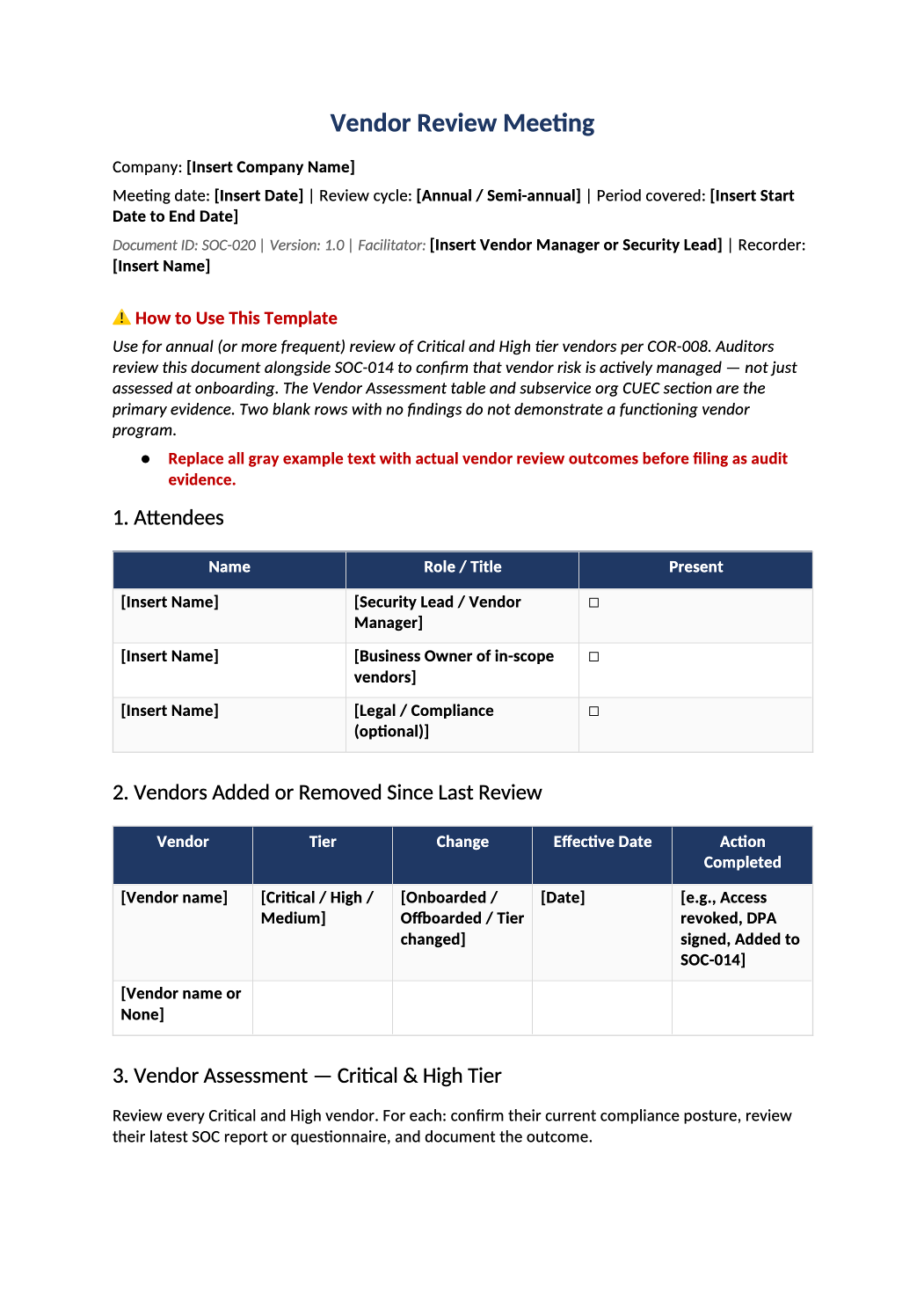
Vendor Review Meeting Template
Structured vendor governance meeting aligned to COR-008 and SOC-014.
How to Fill Out This Vendor Review Meeting
Vendor review meeting template SOC 2 — Minutes for periodic vendor/subprocessor reviews — CC9.2 and vendor SOC report exceptions.
Recommended Owner: Security or Procurement | Legal for contract/DPA items
What this file is for
Document purpose
Vendor governance meeting minutes (CC9.2) aligned to SOC-014 and COR-008.
In your program: Review Critical/High tier vendors at least annually; update SOC-014 after section 9.
Before you start
Getting Started
- Enable Editing in Word; replace `[` placeholders and delete gray examples.
- Cross-check dates, owners, and metrics with Phase 1–2 trackers (SOC-003, SOC-010, SOC-013, SOC-030).
Document tour
Fill out the file section by section
Work through the sections below in order. Each block matches a heading or tab in the downloaded SOC-020 file.
1. Attendees
- Security, Legal, Procurement, and owners for top vendors.
- After editing 1. Attendees, search for `[` placeholders and gray sample names — auditors flag incomplete templates.
2. Vendors Added or Removed Since Last Review
- Sync adds/removals with SOC-014 subprocessor register changes.
- After editing 2. Vendors Added or Removed Since Last Review, search for `[` placeholders and gray sample names — auditors flag incomplete templates.
3. Vendor Assessment — Critical & High Tier
- Per vendor: tier, SOC report date, exceptions summary, and renewal action.
- After editing 3. Vendor Assessment — Critical & High Tier, search for `[` placeholders and gray sample names — auditors flag incomplete templates.
4. SOC Report Exception Analysis
- Document auditor exceptions and your complementary user controls (CUECs).
- After editing 4. SOC Report Exception Analysis, search for `[` placeholders and gray sample names — auditors flag incomplete templates.
5. Subservice Organization & CUEC Review
- Note carve-outs and whether you rely on vendor SOC for subservice orgs.
- After editing 5. Subservice Organization & CUEC Review, search for `[` placeholders and gray sample names — auditors flag incomplete templates.
6. Contract & Data Processing Agreement Status
- DPA/BAA gaps and renewal dates — Legal owns remediation.
- After editing 6. Contract & Data Processing Agreement Status, search for `[` placeholders and gray sample names — auditors flag incomplete templates.
7. Vendor Access Review
- Integration accounts and vendor SSO users — tie to SOC-010 where applicable.
- After editing 7. Vendor Access Review, search for `[` placeholders and gray sample names — auditors flag incomplete templates.
8. Action Items
- Per-vendor actions with owners; link SOC-021 evidence when closed.
- After editing 8. Action Items, search for `[` placeholders and gray sample names — auditors flag incomplete templates.
9. SOC-014 Updates Required
- List register rows to add/update/delete before next audit sample.
- After editing 9. SOC-014 Updates Required, search for `[` placeholders and gray sample names — auditors flag incomplete templates.
10. Approval
- Security or procurement lead sign-off.
- After editing 10. Approval, search for `[` placeholders and gray sample names — auditors flag incomplete templates.
Related Documents
- SOC-014, COR-008, SOC-029 references — verify versions in COR-013.
- After editing Related Documents, search for `[` placeholders and gray sample names — auditors flag incomplete templates.
Quality check
Before You Finalize
- Section 3 covers every Critical/High vendor in SOC-014 with current SOC report date.
- Section 9 SOC-014 updates completed or scheduled with owner.
Evidence
Where to Store It
- Store the completed file in your compliance evidence folder (signed PDF for policies).
- Register the document in COR-013 with version, owner, and next review date.
- Link the file from your evidence index or SOC-005 project plan when you use Phase 3 trackers.