Vulnerability Management Procedure Guide
Scanning cadence, SLAs by severity, patching, and exception handling.
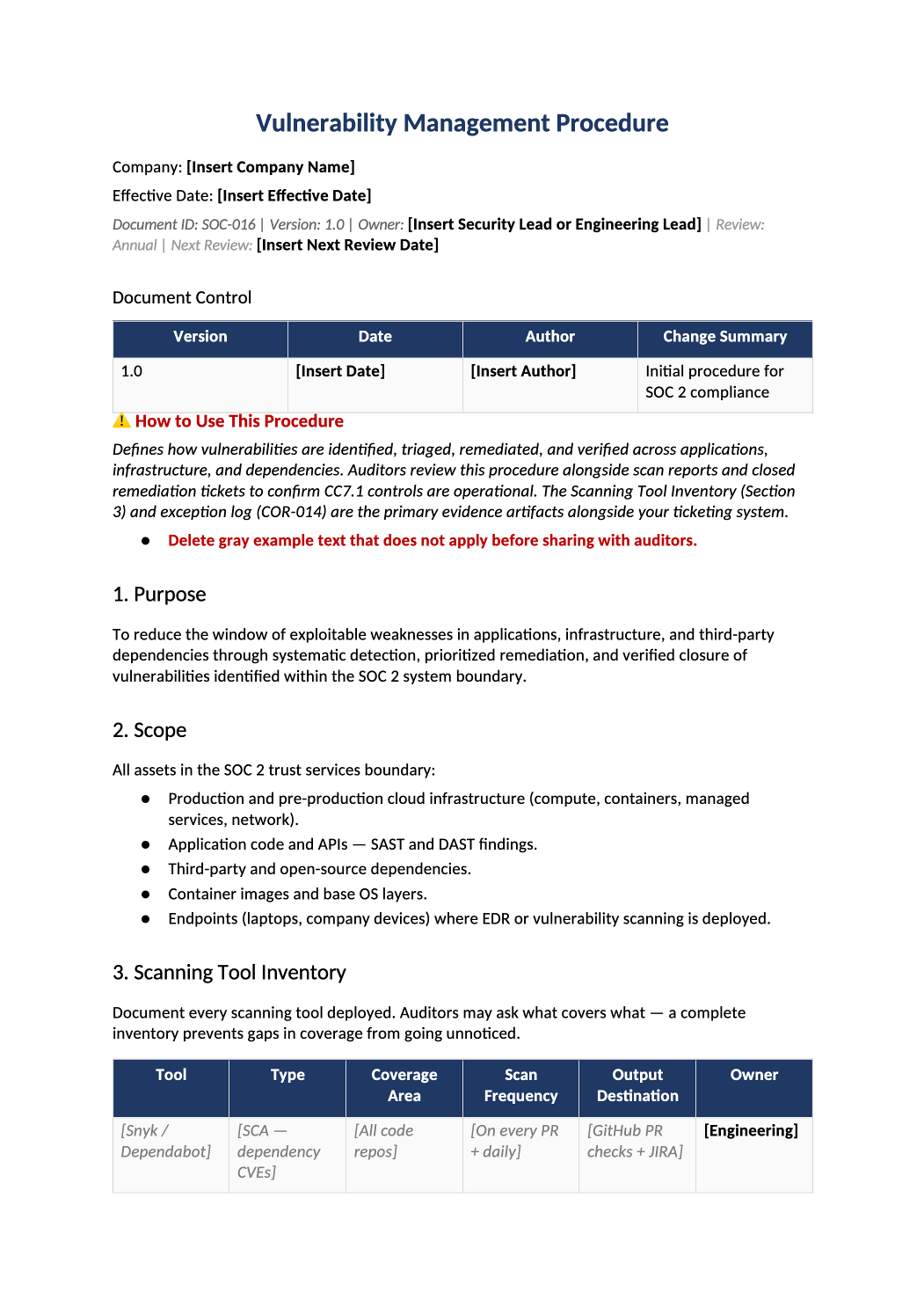
Vulnerability Management Procedure
Scanning cadence, SLAs by severity, patching, and exception handling.
How to Fill Out This Vulnerability Management Procedure
Vulnerability management procedure template — Align SLAs with your scanner (Dependabot, Snyk, etc.). Track exceptions in COR-014 if patches cannot ship before audit.
Recommended Owner: Security or Engineering | Owners remediate per SLA
What this file is for
Document purpose
Vulnerability management procedure (CC7.1).
In your program: SLAs must match scanner output; exceptions via COR-014.
Before you start
Getting Started
- Enable Editing in Word; replace `[` placeholders and delete gray examples.
- Cross-check names and vendors with SOC-002, SOC-004, and Phase 1 COR policies.
Document tour
Fill out the file section by section
Work through the sections below in order. Each block matches a heading or tab in the downloaded SOC-016 file.
1. Purpose
- Identify and remediate vulnerabilities systematically (CC7.1).
- After editing 1. Purpose, search for `[` placeholders and gray sample names — auditors flag incomplete templates.
2. Scope
- App, container, cloud, dependencies in boundary.
- After editing 2. Scope, search for `[` placeholders and gray sample names — auditors flag incomplete templates.
3. Scanning Tool Inventory
- Name scanners (Snyk, Tenable, etc.) and what they cover.
- After editing 3. Scanning Tool Inventory, search for `[` placeholders and gray sample names — auditors flag incomplete templates.
4. Severity & Remediation SLAs
- Critical/High/Medium days — must match ticket history.
- After editing 4. Severity & Remediation SLAs, search for `[` placeholders and gray sample names — auditors flag incomplete templates.
5. Remediation Workflow
- Triage → assign → patch via SOC-011 → verify close.
- After editing 5. Remediation Workflow, search for `[` placeholders and gray sample names — auditors flag incomplete templates.
6. False Positive Handling
- Document FP process — auditors ask about dismissed Criticals.
- After editing 6. False Positive Handling, search for `[` placeholders and gray sample names — auditors flag incomplete templates.
7. Penetration Testing
- Annual third-party or internal pentest — retain report.
- After editing 7. Penetration Testing, search for `[` placeholders and gray sample names — auditors flag incomplete templates.
8. Metrics & Reporting
- Open vuln counts to leadership (SOC-017 KPIs).
- After editing 8. Metrics & Reporting, search for `[` placeholders and gray sample names — auditors flag incomplete templates.
9. Roles & Responsibilities
- Security vs engineering ownership.
- After editing 9. Roles & Responsibilities, search for `[` placeholders and gray sample names — auditors flag incomplete templates.
10. Evidence Retention
- Scan exports and closure tickets for audit period.
- After editing 10. Evidence Retention, search for `[` placeholders and gray sample names — auditors flag incomplete templates.
11. Related Documents
- SOC-007, SOC-011, SOC-012, COR-014.
- After editing 11. Related Documents, search for `[` placeholders and gray sample names — auditors flag incomplete templates.
12. SOC 2 Mapping
- CC7.1 — update when tooling changes.
- After editing 12. SOC 2 Mapping, search for `[` placeholders and gray sample names — auditors flag incomplete templates.
Quality check
Before You Finalize
- Critical SLA (e.g., 7 days) matches ticket history.
Evidence
Where to Store It
- Store the completed file in your compliance evidence folder (signed PDF for policies).
- Register the document in COR-013 with version, owner, and next review date.
- Link the file from your evidence index or SOC-005 project plan when you use Phase 3 trackers.